

TL;DR
- Edit node instructions and labels inline in Node Inspector (“click to edit”)
- Improved advanced agent settings accuracy (model-specific configuration handling)
- Image Generation tool is now available inside Node Inspector (when your workflow needs it)
- Better integrations setup: supports API-based integrations, multiple integrations, and plan-aware upgrade alerts
- Faster navigation with prefetching + skeleton loaders (less waiting, fewer spinner screens)
- UI polish across onboarding, tooltips, palette, and message list
- Fixes for stability and onboarding tour alignment
What’s new
1) Edit nodes inline (less clicking, faster iteration)
Node Inspector now supports:- Editable instructions
- Editable labels
- Clear “(click to edit)” guidance so it’s obvious where to change things
2) More accurate advanced agent configuration (model-aware)
We improved how advanced mode is handled so model-specific configuration is applied more accurately. Why it matters: fewer “why did the model behave differently?” moments and more reliable results when you’re tuning agents for different tasks.3) Image generation inside the builder (when your workflow needs visuals)
We integrated an Image Generation tool into the node inspector so you can add and configure it when your workflow needs visuals. Why it matters: if your workflow produces visual outputs (marketing images, thumbnails, product mockups, social creatives), you can configure and test image generation directly while building—without switching contexts.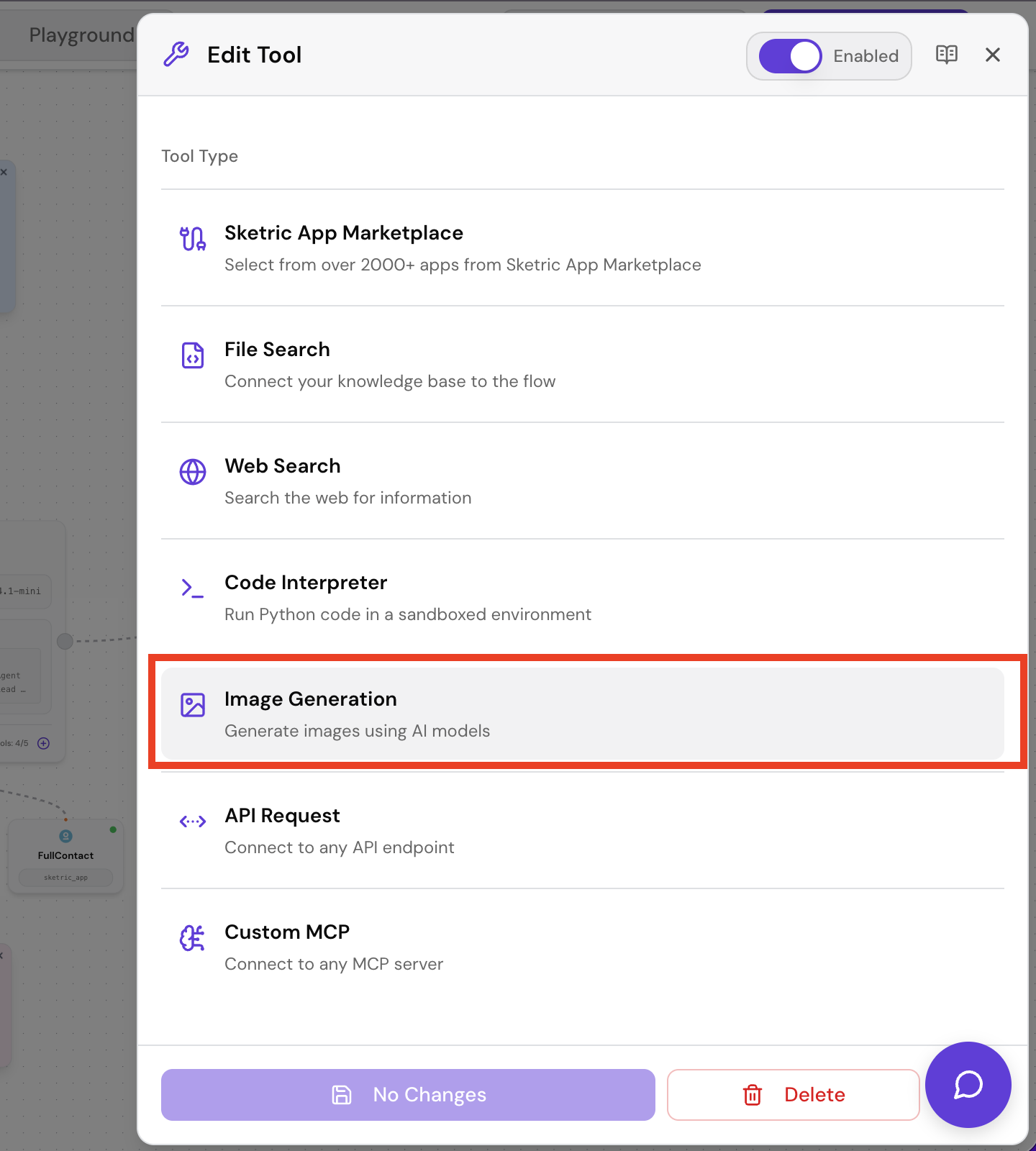
4) Integrations & triggers upgrades (cleaner setup + clearer plan limits)
Integration setup got smarter:- API-based integrations supported with updated documentation links
- Plan-aware messaging: upgrade alerts when an integration is disabled due to plan limits
- Better handling for workflows with multiple integrations
- When removing trigger integrations, you can target specific platforms so only the right connection is removed
Performance improvements (you’ll feel this everywhere)
We reduced “waiting time” across common screens:- Prefetching on Agent Cards for faster navigation
- Streamlined loading in AgentSpace, FlowEditor, Dashboard, Pricing, Templates
- Replaced global loaders with skeleton-based loaders for smoother UX
UI/UX improvements (small friction reducers)
- Loading overlays and refined opacity for clearer “fetching” feedback
- Improved onboarding experience support
- Better tooltips, labels, and responsiveness across nodes, palette, and message list
- Password strength popover during signup
Fixes (stability + correctness)
- Prevented runtime errors from undefined assistant messages
- Fixed onboarding tour alignment so steps line up correctly
- Improved user name fallback (uses email when name isn’t available)
Internal improvements (included because they improve reliability)
We removed unused components/assets, simplified loading state logic, and cleaned up styling/imports. Why it matters for users: fewer edge-case bugs, faster UI rendering, and a more stable platform as we ship faster.Who this release is for
- Builders who want to iterate quickly on workflows with less clicking
- Teams using advanced agent settings and needing more consistent behavior
- Anyone adding visual generation to workflows (marketing, content, product images)
- Users managing multiple integrations and wanting clearer plan-aware guidance
- New users onboarding who benefit from improved clarity and responsiveness
How to use (quick steps)
Edit node instructions inline
- Open your workflow in FlowEditor
- Select a node to open Node Inspector
- Click the instruction or label area (“click to edit”)
- Save and run a quick test
Configure image generation in a workflow
- Open Node Inspector for the relevant step
- Choose the Image Generation tool (if available in your setup)
- Configure prompts/inputs and run a test
- Iterate until output matches your desired style
Fix or update integrations cleanly
- Go to Integrations (or open IntegrationSection in the node)
- If you see a plan alert, follow the upgrade guidance or switch integrations
- If using multiple integrations, verify each is connected and configured
- Re-run a test to confirm end-to-end behavior
Hotfixes
Hotfix — Dec 29, 2025
- NodeInspector layout fix — Improved styling and text wrapping so content fits within the defined width.
- Type definition standardization — Replaced abbreviated Python type names with full names across components for clearer, consistent type handling.
- Image generation traces — TraceDetailModal now displays generated images and relevant metadata for image-generation messages.
- StickyNode UI refinement — Simplified layout with padding adjustments for better visual consistency.
FAQ
Can I edit node instructions without opening a separate editor?Yes—Node Inspector supports inline editing for instructions and labels. Why do advanced agent settings feel different now?
Model-specific configuration handling was improved, so settings are applied more accurately and consistently. Do I need image generation for every workflow?
No—this is for workflows that need visual outputs. If you don’t use it, nothing changes for you. What happens if an integration is disabled due to plan limits?
You’ll see clearer plan-aware upgrade alerts, so you know what’s blocked and what your options are. What’s new in traces for image generation?
You can now see the generated image output and metadata directly in TraceDetailModal for image-generation messages. Why did loading screens change?
Skeleton loaders replace heavy global spinners to make navigation feel faster and smoother.
Get Started
- Try SketricGen: https://www.sketricgen.ai/
- Browse Templates: https://www.sketricgen.ai/template
- Docs: Tools & Integrations: /user-guides/tools
- Docs: Agents: /user-guides/agents
- Docs: Agents: /user-guides/agents