

Start From URL or Manual Setup
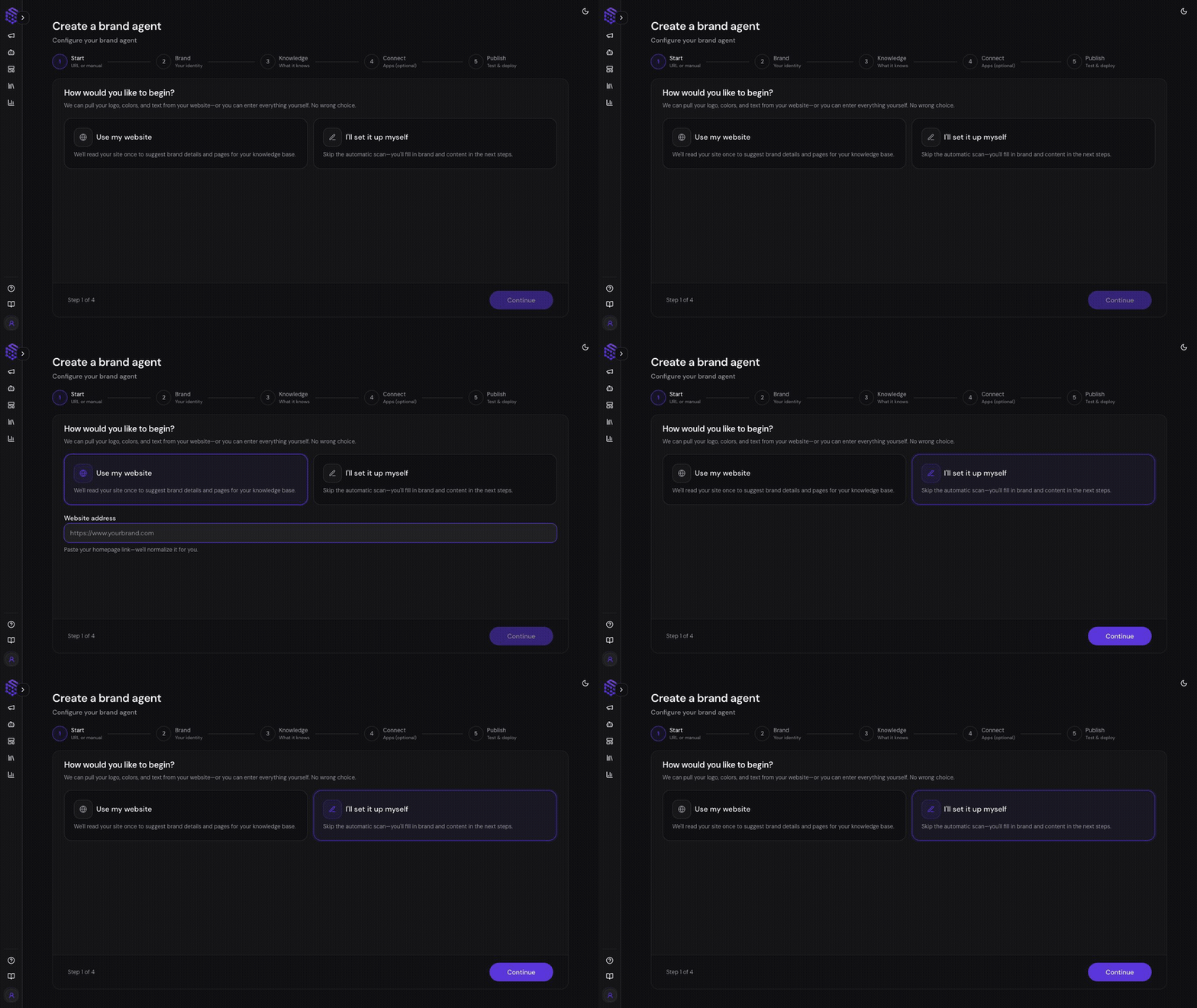
- Website URL: Paste your website URL. SketricGen crawls the site, extracts content, and prepares Brand DNA and Knowledge Base sources.
- Manual setup: Enter brand details yourself and add knowledge sources manually.
Review Brand DNA
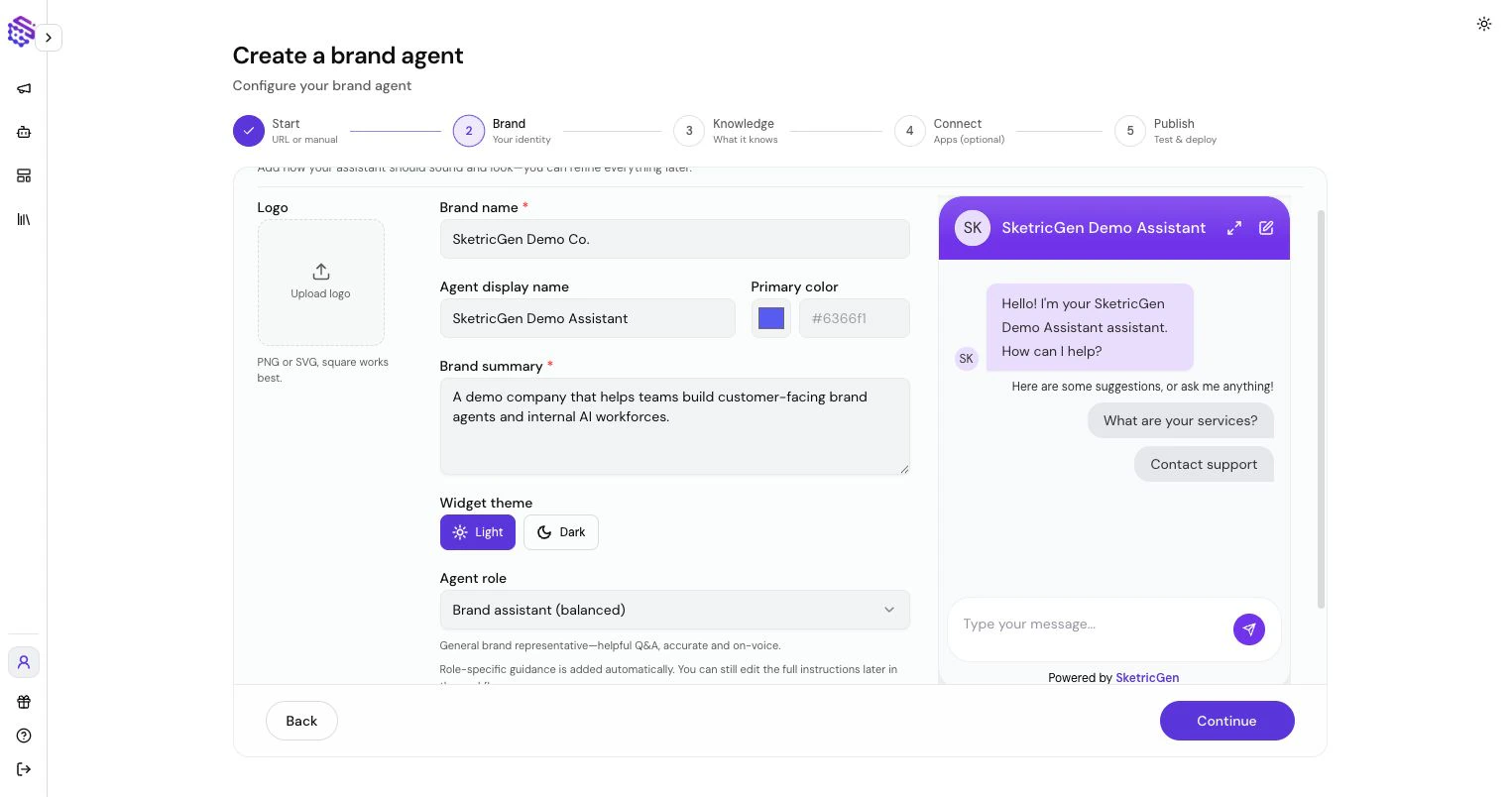
- Brand name
- Agent name
- Brand summary
- Tone and style
- Logo and color
- Agent role
- Instruction notes
Add Knowledge
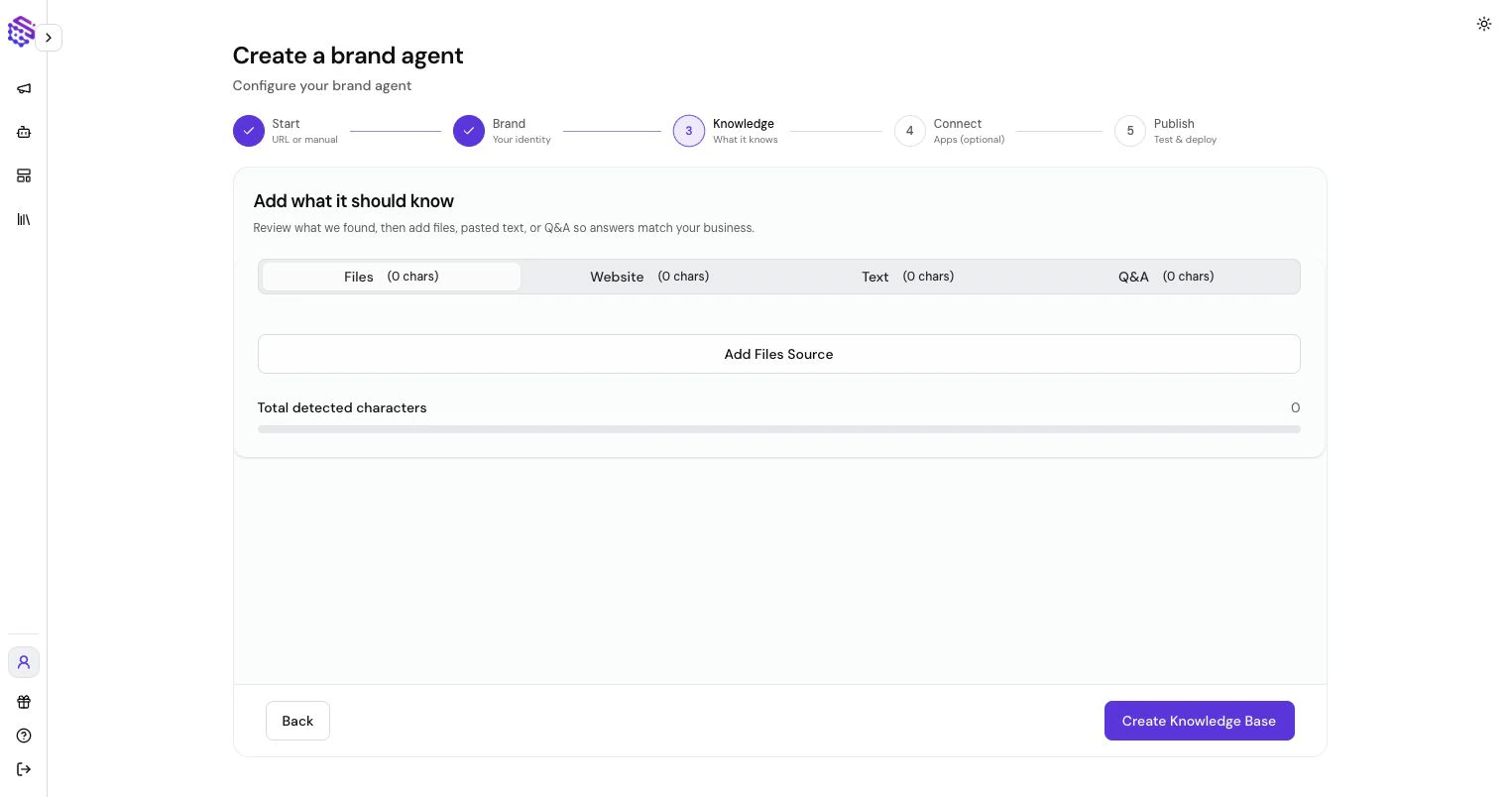
- Crawled website pages
- Uploaded files
- Pasted text
- Q&A pairs
Connect Optional Tools
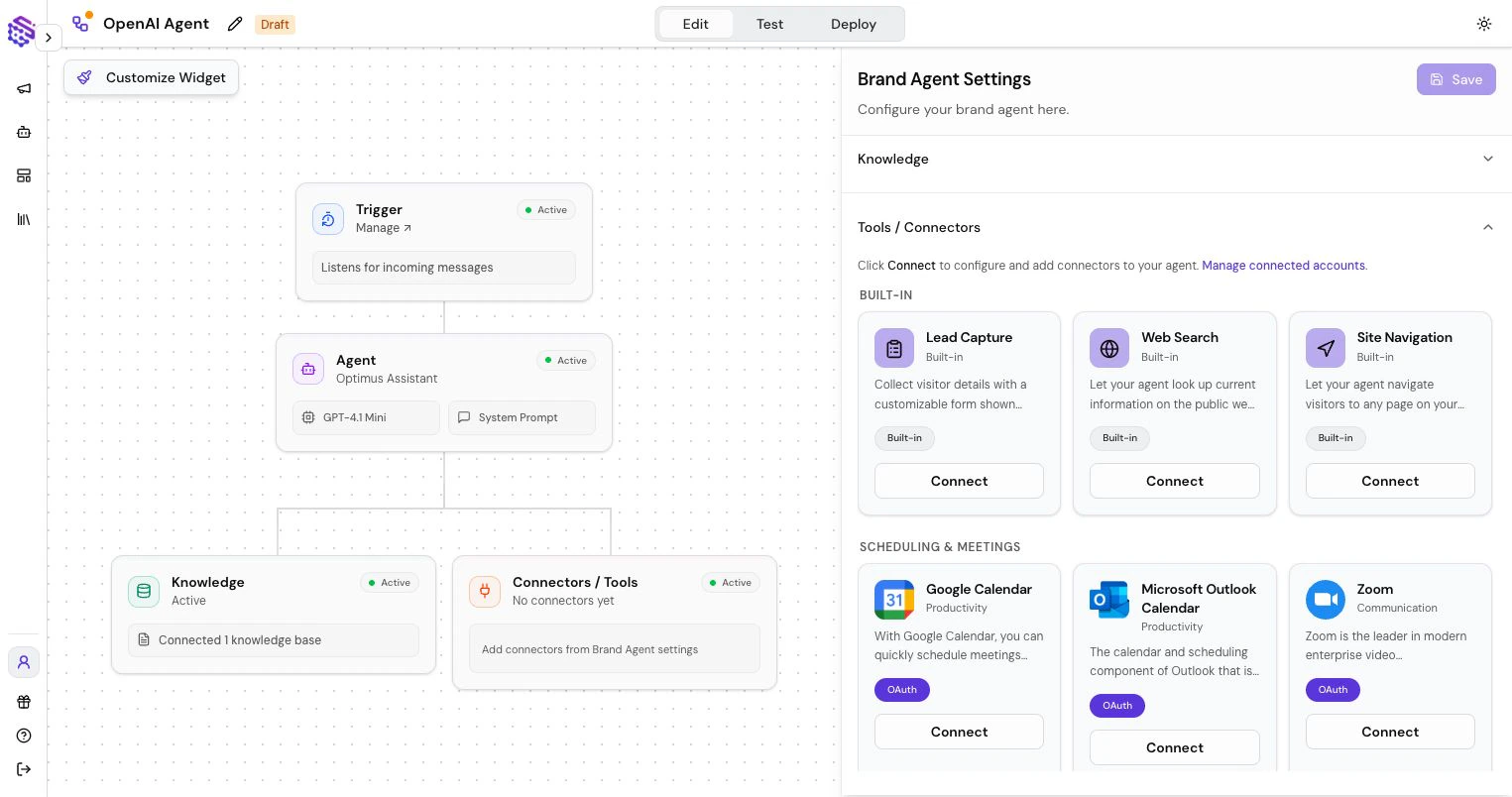
- Lead Capture: collect visitor details inside chat.
- Page Navigation: send visitors to relevant pages.
- Web Search: look up current public information.
- Selected app connectors: connect approved customer-facing actions.
Test and Publish
Before publishing:- Ask realistic customer questions.
- Test lead capture if enabled.
- Check whether the agent answers from the right knowledge.
- Confirm it refuses or redirects questions outside its scope.
- Publish and copy the widget or fullscreen link.