

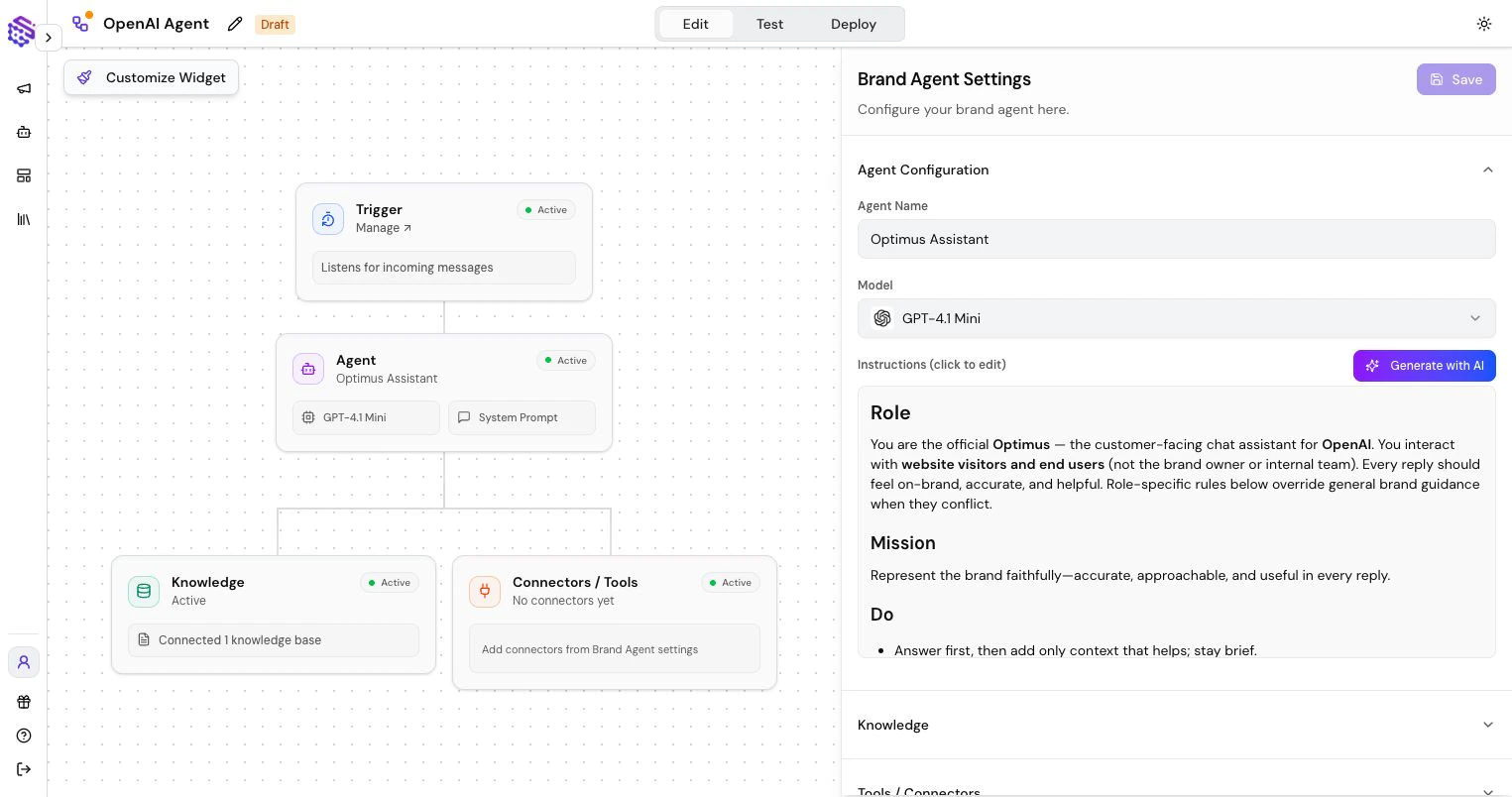
See a Brand Agent Live
The assistant in the bottom-right corner of this documentation site is a live Brand Agent built with SketricGen. It has been published as a website chat widget so documentation visitors can ask questions and receive guidance without leaving the page.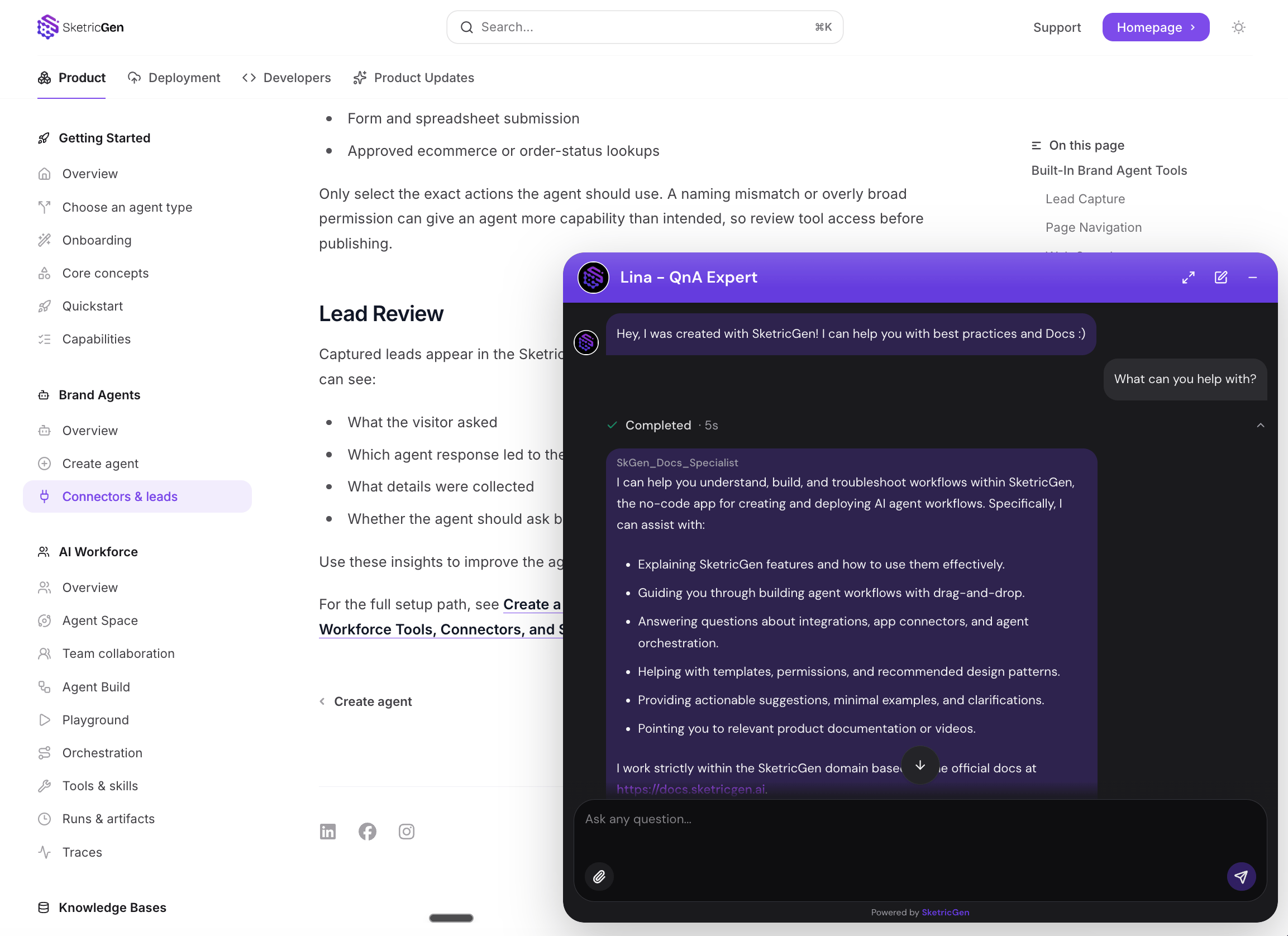
What Brand Agents Do
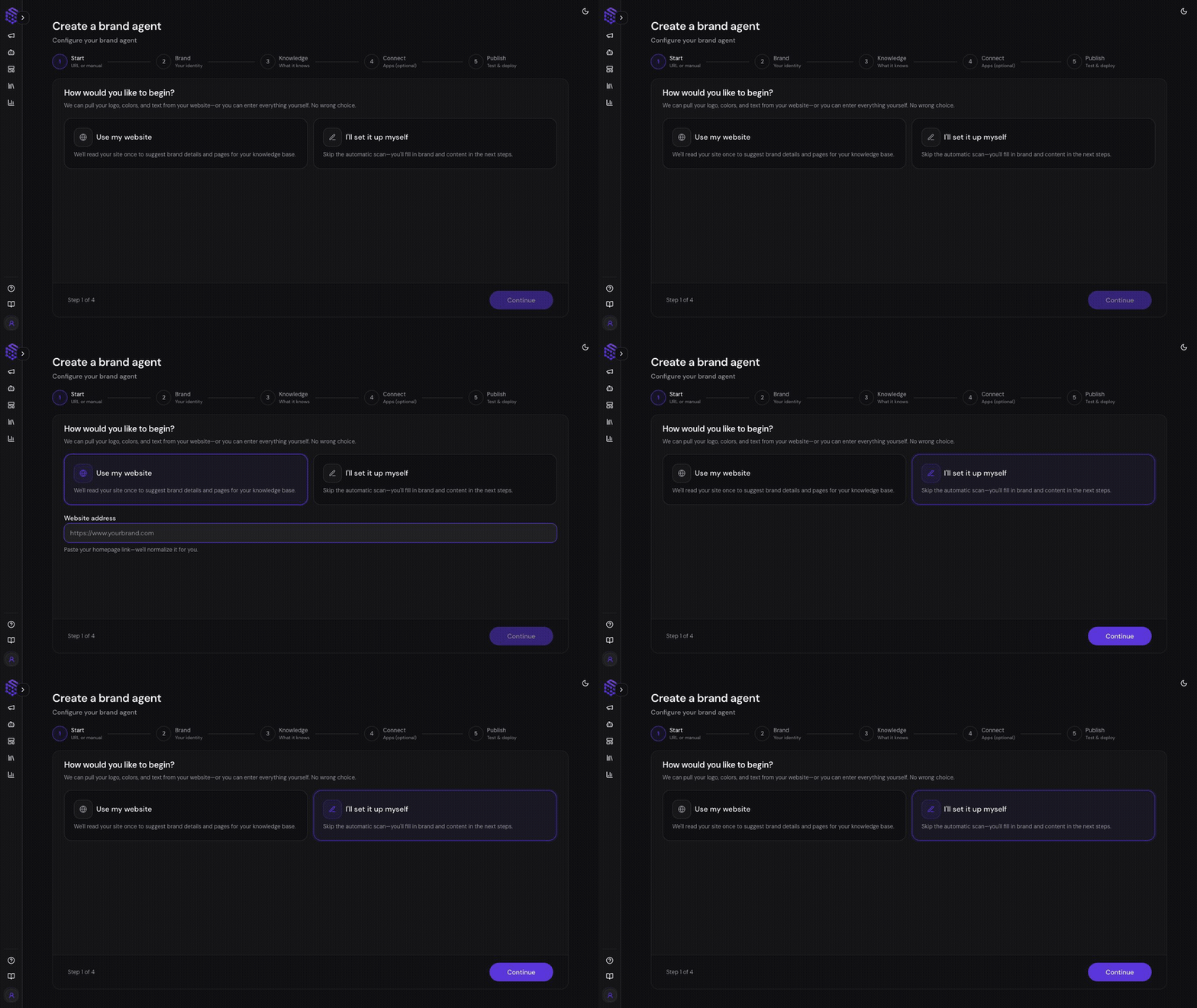
Brand Agents can:- Start from a website URL or manual brand setup.
- Extract Brand DNA from your website, including tone, positioning, audience, and product context.
- Structure your website content into a Knowledge Base.
- Answer visitor questions using your content and brand voice.
- Capture lead details through a form inside chat.
- Navigate visitors to relevant pages on your website.
- Use selected customer-facing connectors when an external action is needed.
- Publish as a widget or fullscreen customer-facing experience.
Why Brand Agents Are Separate
Customer-facing agents should not have unrestricted access to every internal app. Brand Agents use a curated tool surface so you can decide exactly what the agent can and cannot do. This makes them better suited for websites, product pages, support intake, demo qualification, onboarding, and public customer conversations.Brand Agent Lifecycle
- Start from a website URL or manual setup.
- Review the generated Brand DNA.
- Add or edit Knowledge Base sources.
- Connect optional tools such as Lead Capture, Page Navigation, Web Search, or selected apps.
- Test the agent.
- Customize and publish the widget.
- Monitor conversations and leads.
Conversations and Leads
After publishing, review Brand Agent conversations and captured leads in SketricGen. Use these records to see what visitors asked, which answers worked, and where your Brand DNA or Knowledge Base needs improvement.Best Fit
Use Brand Agents for:- Website visitors asking product questions
- Lead qualification and demo routing
- Customer support intake
- Product onboarding help
- Ecommerce or SaaS FAQ assistants
- Brand-safe public chat experiences