
Longer Runs
Some tasks finish in seconds. More complex AI Workforce tasks may take 10-30 minutes depending on:- The selected model
- Number of agents involved
- Tool and connector latency
- File size and count
- Whether the agent creates or edits artifacts
Scheduled Runs
Schedules let AI Workforce agents automate recurring work by triggering a run at a configured time. Instead of asking the agent manually each time, you can turn repeatable internal work into a scheduled run.Create a schedule from the Input node
Open the agent’s Agent Build, then select the Input node on the Build canvas. Choose Scheduled Trigger to configure the message and cadence that will start each recurring run.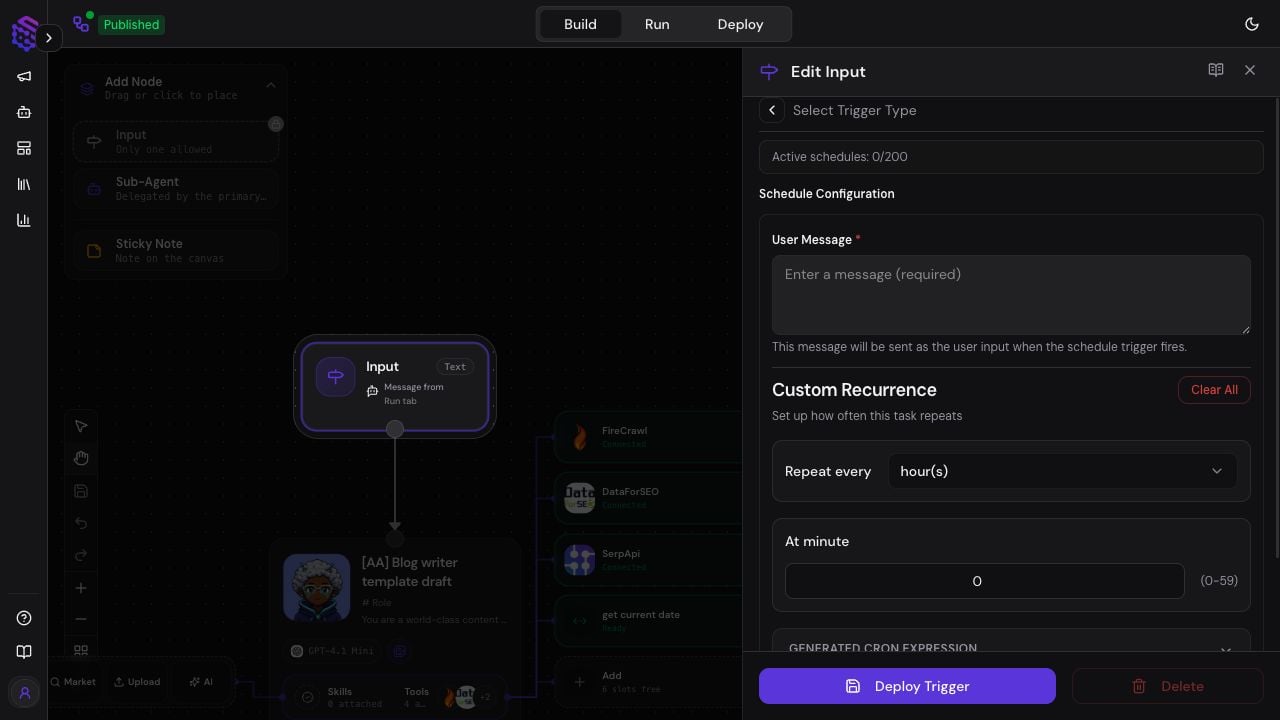
- Open the agent from Agent Space and select Manage Agent Build.
- On the Build canvas, select the Input node.
- Choose Scheduled Trigger.
- Enter the User Message the agent should receive whenever the schedule fires.
- Set the recurrence to hourly, daily, weekly, or monthly, then configure the relevant minute, hour, day, and timezone settings.
- Select Deploy Trigger.
Review this week's support conversations, summarize the top five recurring issues, and save the report as a Markdown file.
Scheduled runs work well for:
- Daily research or news briefs.
- Weekly sales, support, or operations reports.
- Automated report generation and recurring executive summaries.
- Recurring content drafts.
- Pipeline, CRM, or project-management checks.
- Knowledge Base or document review tasks.
- Any internal workflow where the agent should run the same instruction on a regular cadence.
Planning and Todos
AI Workforce runs can maintain a todo/planning state during a run. This helps the agent break down a larger task and track progress. The plan is a working aid, not a guarantee. Always review the final output, generated files, and traces when accuracy matters.Workspace files
AI Workforce uses three file scopes. Open Files in the workspace to browse the selected Project’s files:- Project files: shared with every agent and conversation in the selected Project.
- Agent files: reusable across all conversations for one agent.
- Conversation files: private to one conversation and removed 30 days after the last write.
Inspecting Artifacts
When a run creates files, inspect them in the product before using them downstream. For important workflows, verify:- The file exists and opens.
- The content matches the request.
- The format is usable by the target system.
- Any connector upload or sub-agent step used the intended file.
Traces
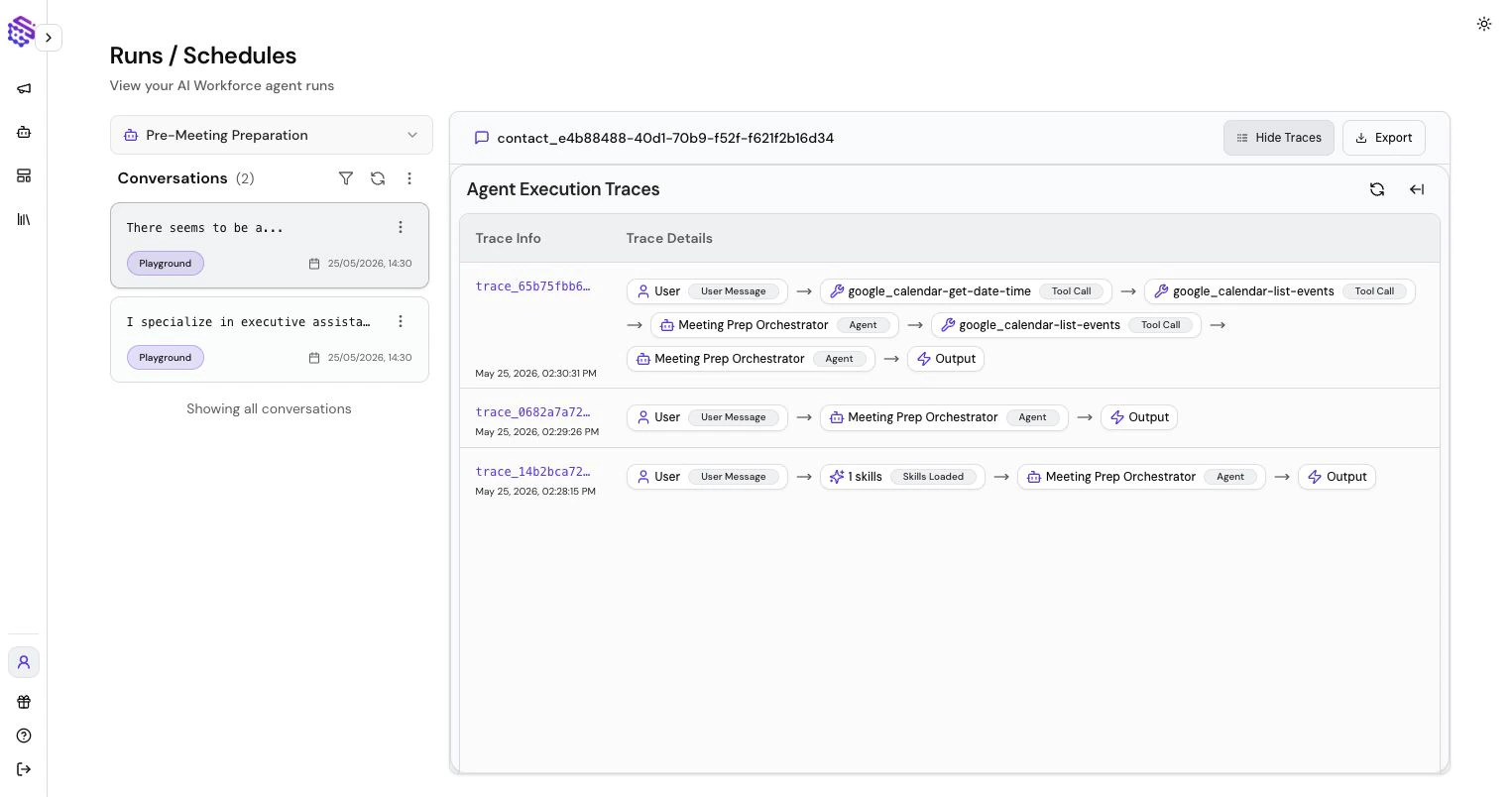
Traces show the run timeline: agent steps, sub-agent calls, tool calls, errors, latency, and credit usage. Use traces to understand why a run succeeded, failed, or took longer than expected. For tool configuration, see AI Workforce Tools, Connectors, and Skills.