

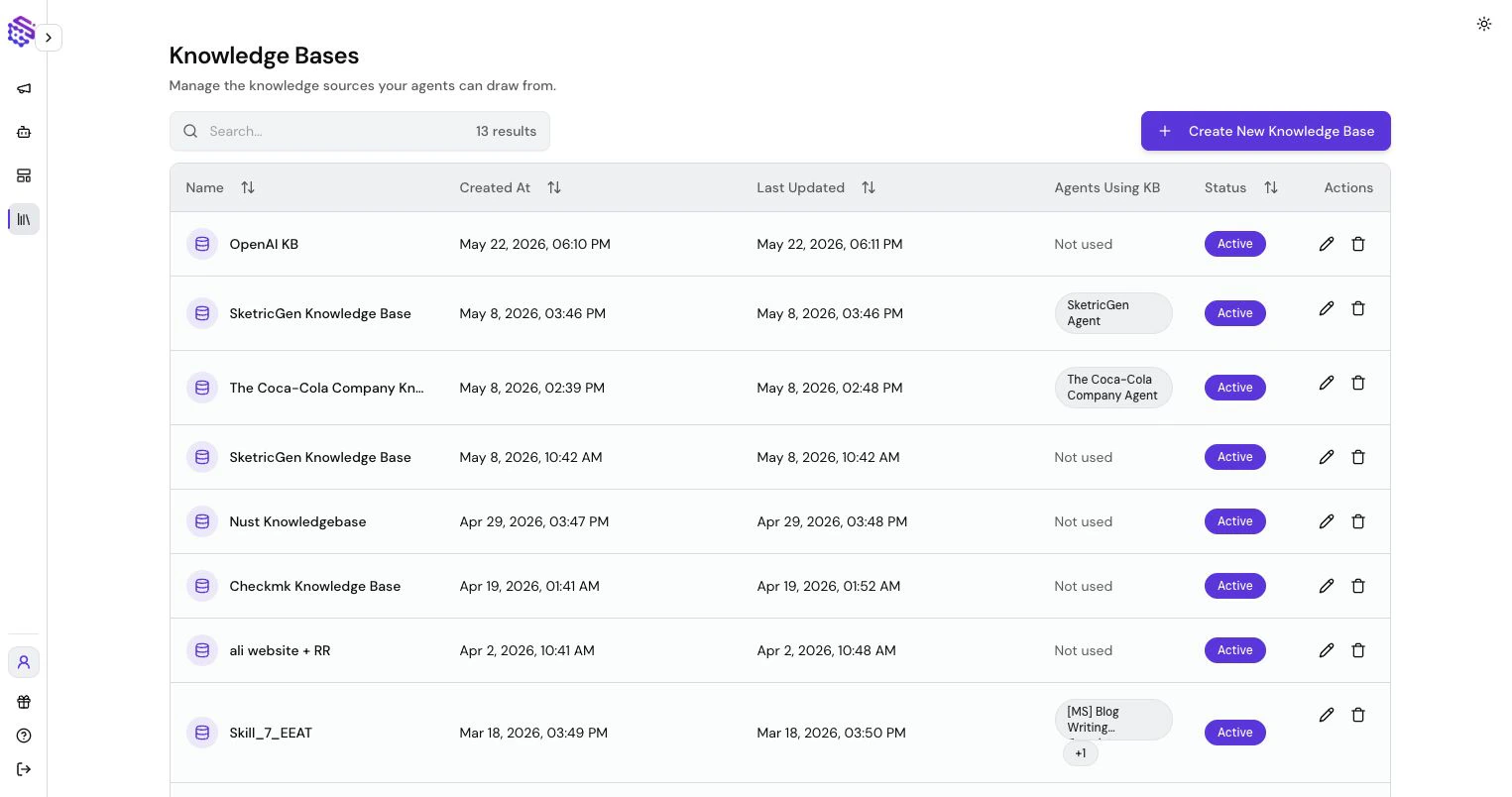
How Knowledge Bases Are Used
- Brand Agents: usually use Knowledge Bases created from website scraping, support docs, product pages, pricing pages, policies, and FAQs.
- AI Workforce: use Knowledge Bases for internal docs, SOPs, product information, sales collateral, support policies, and research material.
Add Sources
You can add knowledge through:- Website crawling from a URL
- File uploads
- Pasted text
- Q&A pairs
- Notion pages, with optional scheduled sync
Website Scraping
For Brand Agents, website scraping can create the initial content foundation for a website chatbot. SketricGen reads pages, extracts useful text, and prepares the Knowledge Base for the agent. Review scraped sources before publishing. Add missing files or text when your website does not contain enough detail.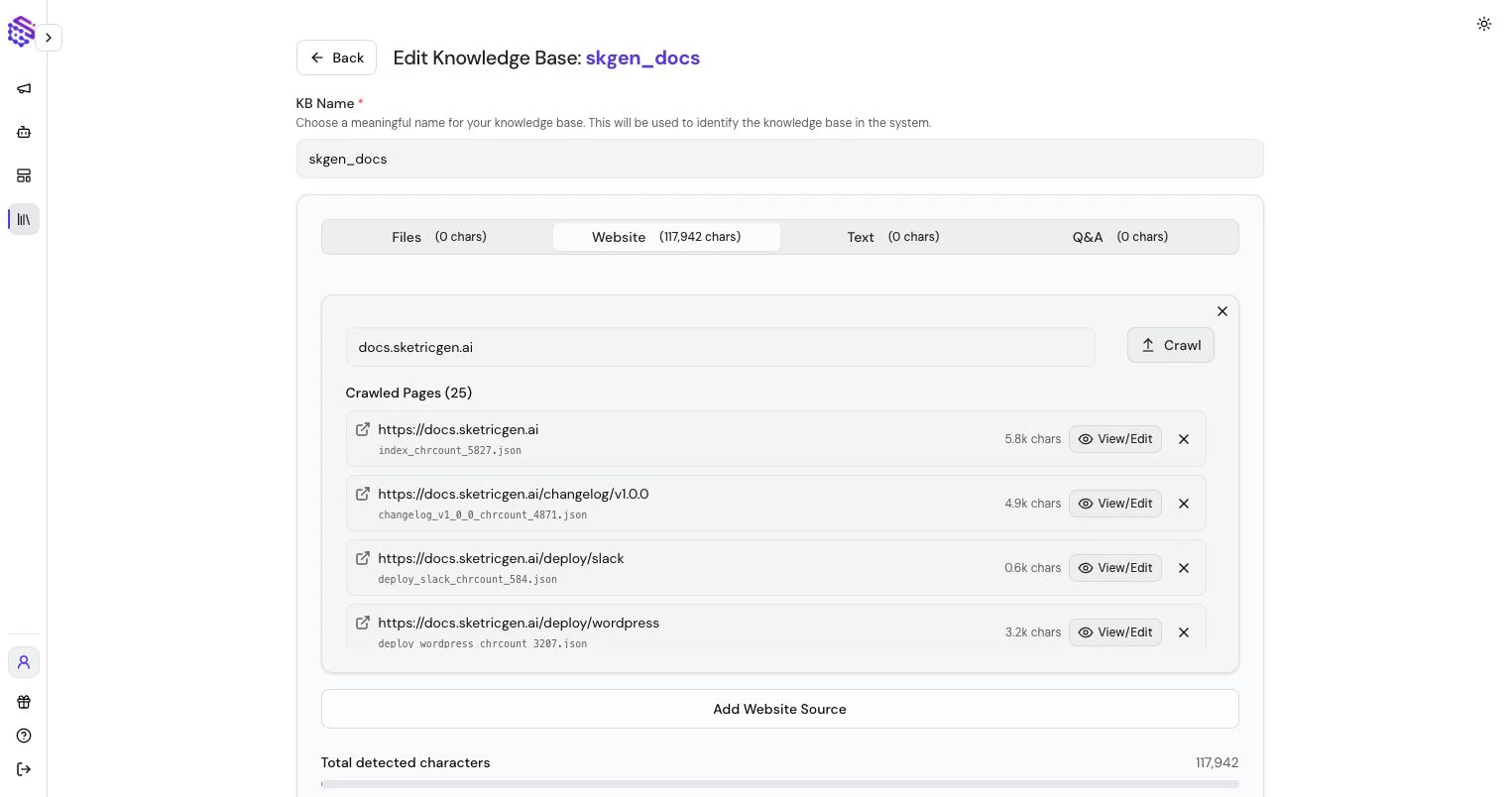
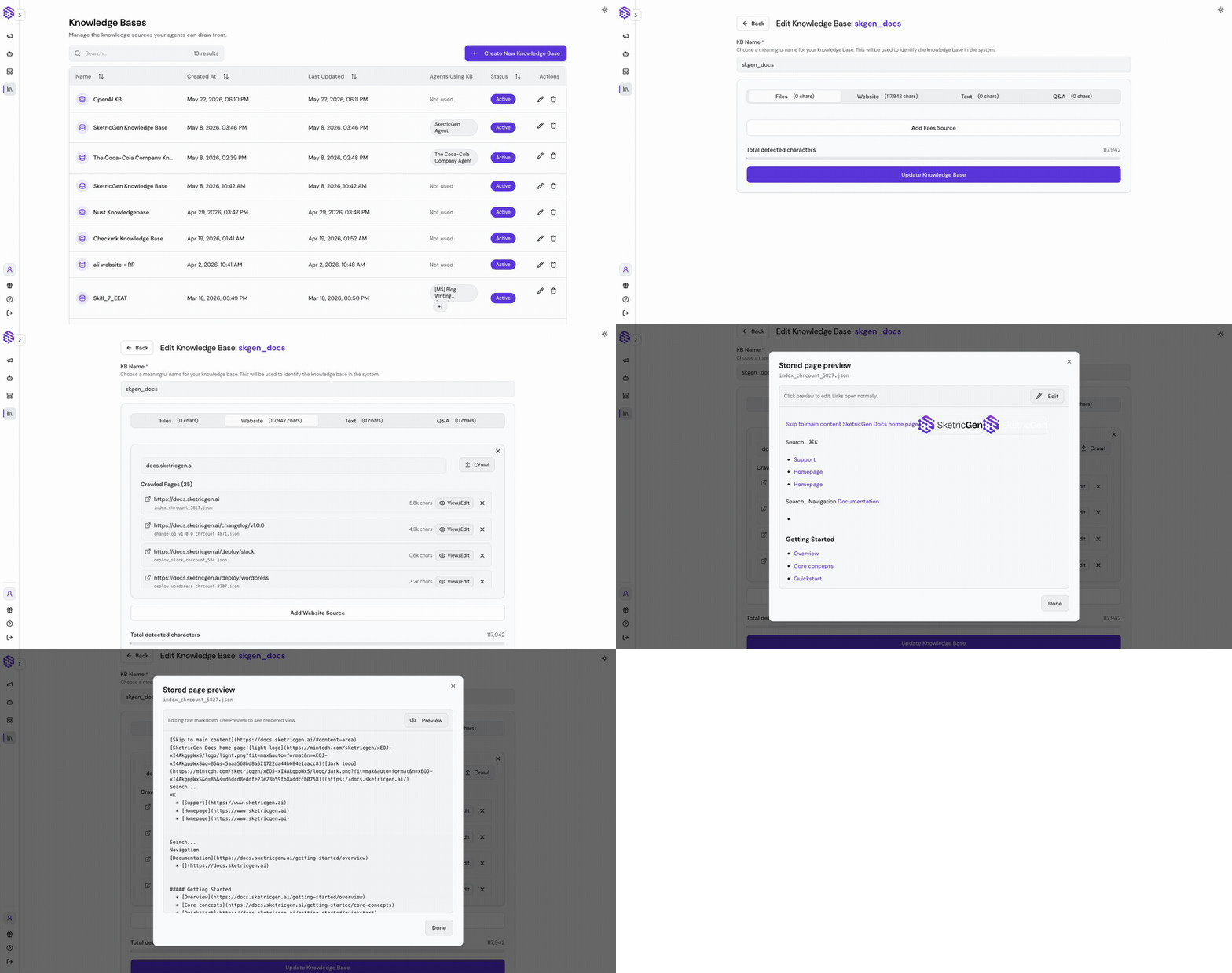
Review and Edit Scraped Markdown
When a website is scraped, SketricGen stores the crawled page content as editable Markdown. You can open a crawled page, review what was extracted, and clean up the source before the agent uses it. This is useful when a crawl includes:- Repeated navigation or footer text
- Outdated content
- Missing context from the original page
- Copy that should be rewritten before the agent answers from it
- Pages that should be removed from the Knowledge Base
Sync Notion Pages
Connect Notion when your team already maintains its source of truth there, such as SOPs, product notes, support macros, or internal policies. SketricGen imports the pages you select and can keep them refreshed on a schedule, so the agent answers from current content instead of a one-time copy. Add a Notion source while creating or editing a Knowledge Base, or during Brand Agent setup.- Select Connect on the Notion card and complete the Notion authorization in the popup window. Allow popups if the window does not open.
- Share the pages you want with the SketricGen integration inside Notion. Only shared pages appear in the page list.
- Under Pages to import, select the pages this Knowledge Base should use.
- Choose a Cadence: Manual only, Every day, or Once a week. New sources default to once a week.
- Select Remove pages deleted in Notion when a page removed in Notion should also leave the Knowledge Base.
- Save the source. When you add Notion while creating a Knowledge Base, the first sync starts after the Knowledge Base is created.
Manage an Existing Notion Source
- Sync now queues an immediate sync without waiting for the next scheduled run.
- Scheduled sync can be paused at any time. Pausing keeps already imported pages and their vectors available to the agent; it only stops future refreshes.
- A source shows Reconnect needed when the Notion authorization has expired. Reconnect to resume syncing.
Notion sync applies to Knowledge Bases. Connecting Notion here imports page content for retrieval; it does not give the agent permission to write back to your Notion workspace.
Use Knowledge in Agents
After a Knowledge Base is ready, attach it to the Brand Agent or AI Workforce agent that needs it. Keep product-critical answers in the Knowledge Base and use Web Search only when freshness matters more than strict brand-owned content.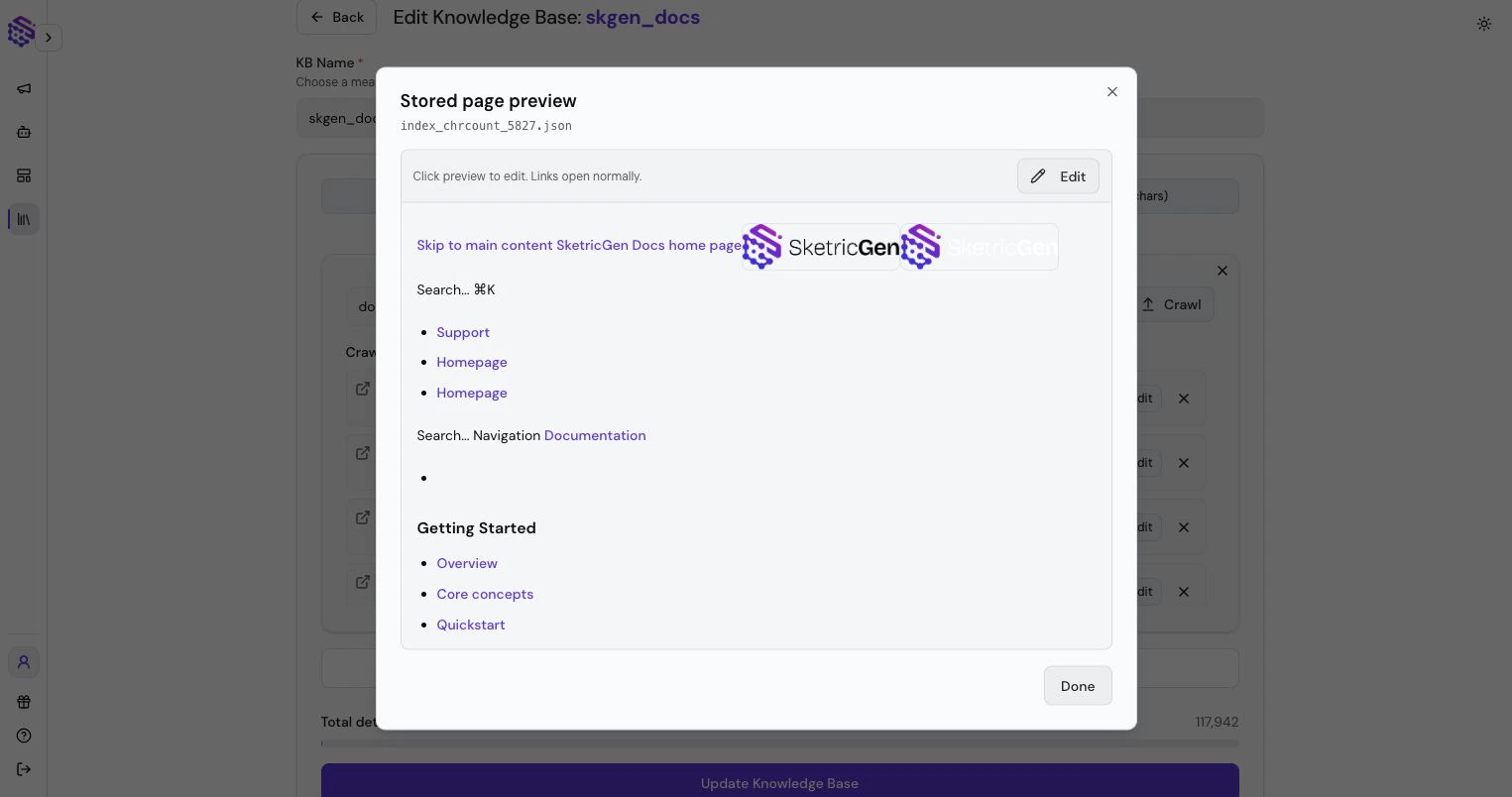
Best Practices
- Keep product-critical answers in your own Knowledge Base.
- Add pricing, policies, docs, and common objections.
- Remove outdated files.
- Use Web Search only when freshness is more important than strict brand-owned answers.
- Re-test the agent after updating knowledge.