

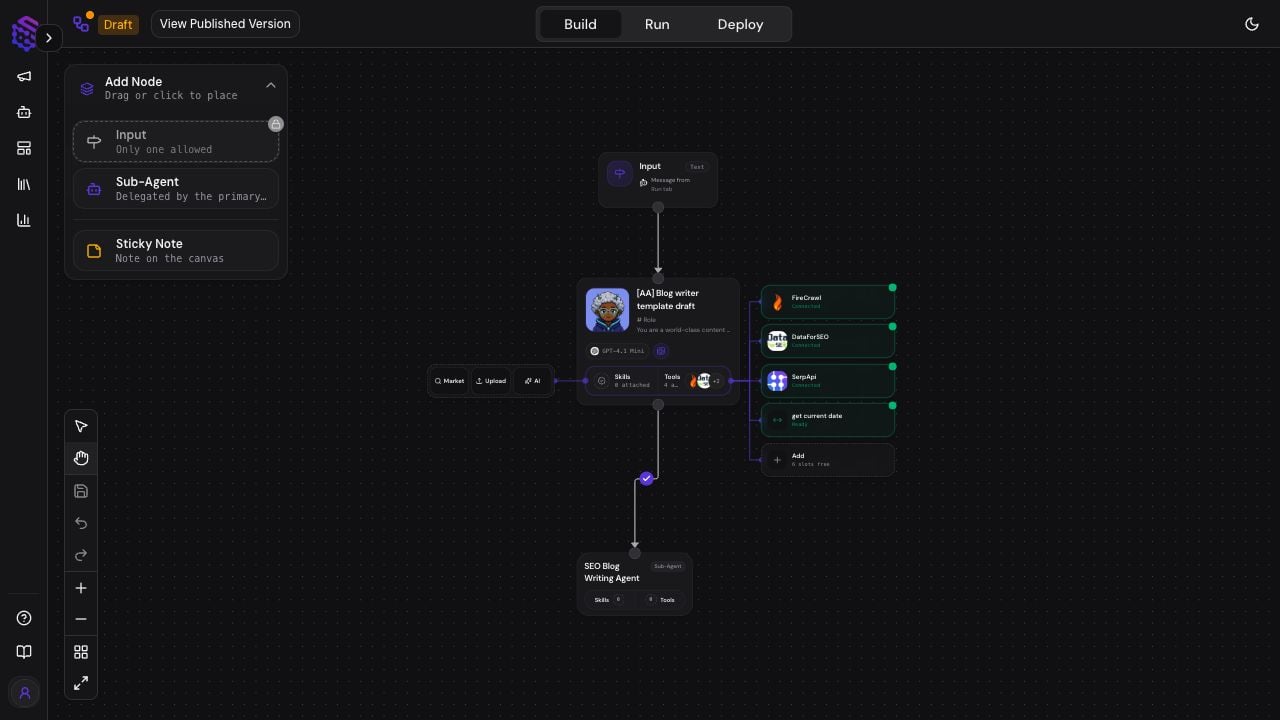
Agent Build Modes
The top navigation separates three jobs:- Build: configure the agent graph and internal behavior.
- Run: test the draft or published agent in Playground.
- Deploy: publish or connect the agent to supported execution surfaces.
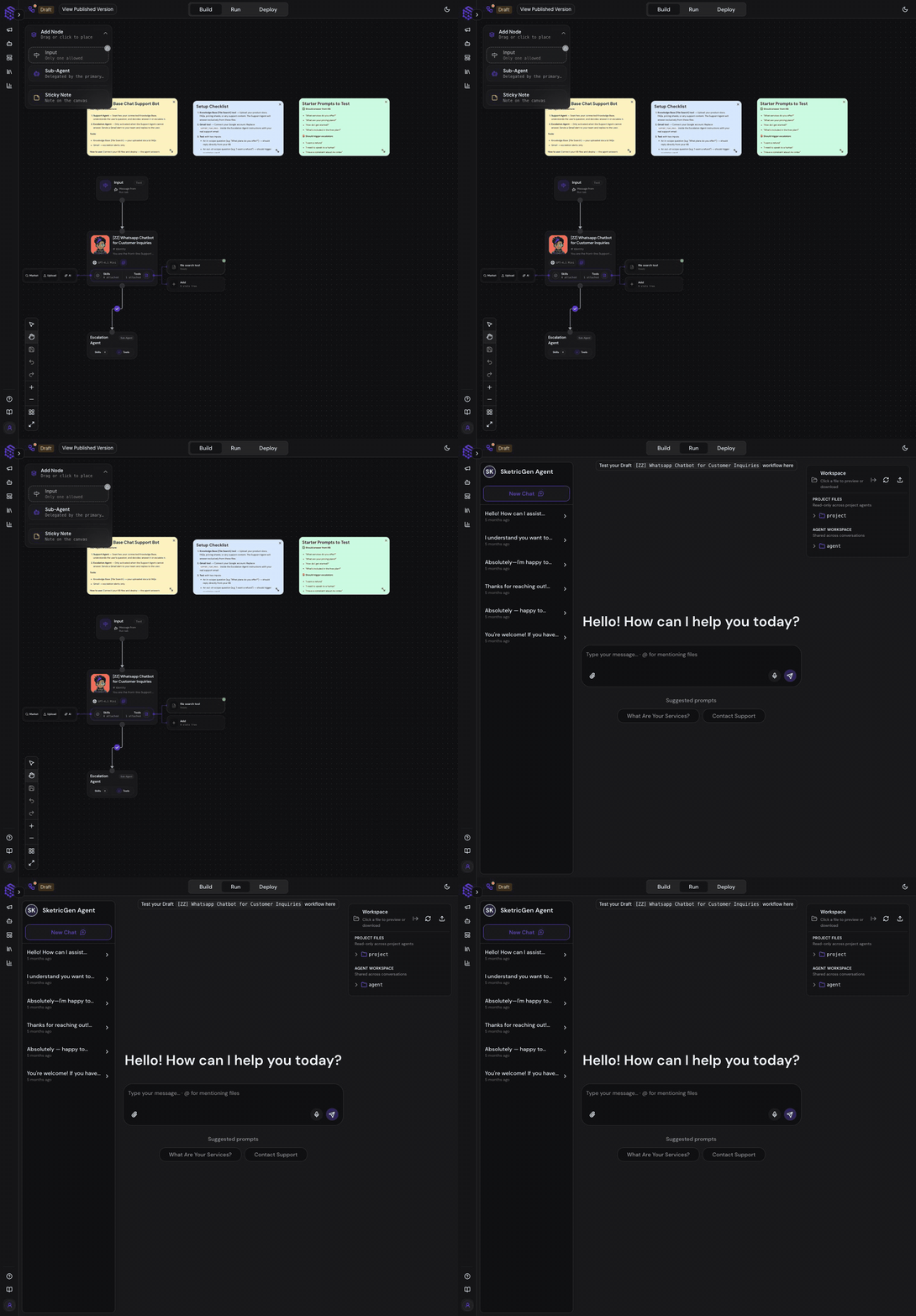
Build the Agent Graph
An Agent Build can contain:- Input: the message or instruction entering from the Run experience or a deployed surface.
- Main agent: owns the user request, chooses tools, delegates work, and returns the final response.
- Sub-agents: specialists that receive bounded tasks from the main agent.
- Tools: capabilities such as File Search, Web Search, app connectors, API requests, structured output, and custom MCP tools.
- Skills: reusable task instructions and supporting resources attached to an agent.
- Sticky notes: documentation and setup reminders placed directly on the canvas.
- Connections: define which tools or sub-agents the main agent can call.
Configure an Agent
Select an agent node to open the configuration panel.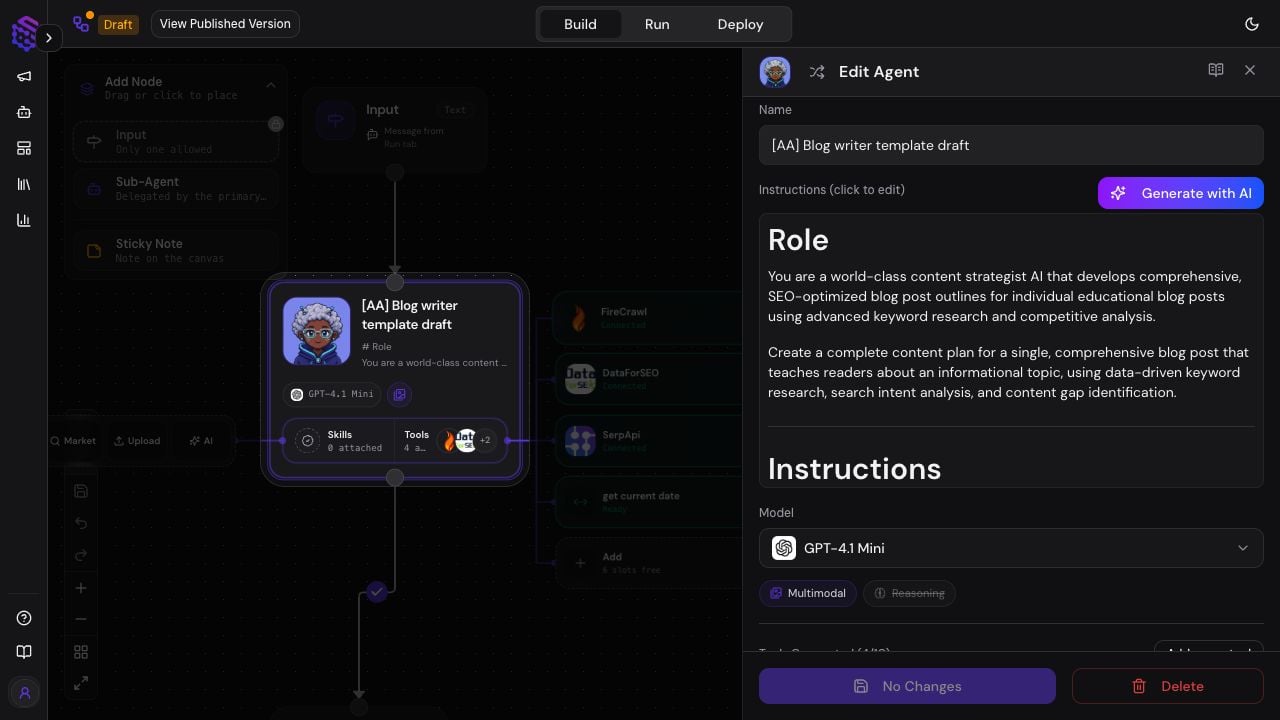
- Name and icon: identify the agent in Agent Space, Playground, and traces.
- Instructions: define identity, responsibilities, process, tool rules, escalation, and expected output.
- Generate with AI: draft or improve instructions, which you should review before saving.
- Model: choose a model whose capabilities match the work.
- Tools: attach only the actions and data sources the agent needs.
- Skills: upload, browse, or generate reusable task guidance.
Main Agents and Sub-Agents
The main agent talks to the user. A sub-agent works behind the main agent and returns its result to the main agent. Sub-agents cannot contain their own sub-agents. Use them for focused work such as research, classification, extraction, content drafting, validation, or escalation. Instructions should tell the main agent:- What result it owns
- Which tasks it may delegate
- When it should use each tool
- When it must request human input
- What it should do when evidence is missing
Draft, Test, and Publish
Use this improvement loop:- Change one instruction, model, tool, skill, or connection.
- Save the draft.
- Open Run and use a realistic test prompt.
- Inspect tool calls, sub-agent delegation, files, human-input requests, and the final response.
- Open the trace when the result is unexpected.
- Publish only after the draft behaves as intended.
Capability Facts
- Product surface: Agent Build
- Purpose: define the internal behavior and capabilities of one agent
- Contains: input, main agent, optional sub-agents, tools, skills, notes, and connections
- Main agent: owns the conversation and final answer
- Sub-agent: receives delegated work and does not talk directly to the user
- Draft behavior: editable and testable without automatically replacing the published version
- Run surface: Playground
- Operational surface: Agent Space