> ## Documentation Index
> Fetch the complete documentation index at: https://docs.sketricgen.ai/llms.txt
> Use this file to discover all available pages before exploring further.
# Traces and Optimization
> Use SketricGen traces to inspect AI Workforce runs, sub-agent calls, tool calls, latency, credit usage, generated files, artifacts, and errors.
Traces show what happened during an agent run. They are useful for both Brand Agents and AI Workforce, but they are especially important for longer internal runs.
 ## What Traces Show
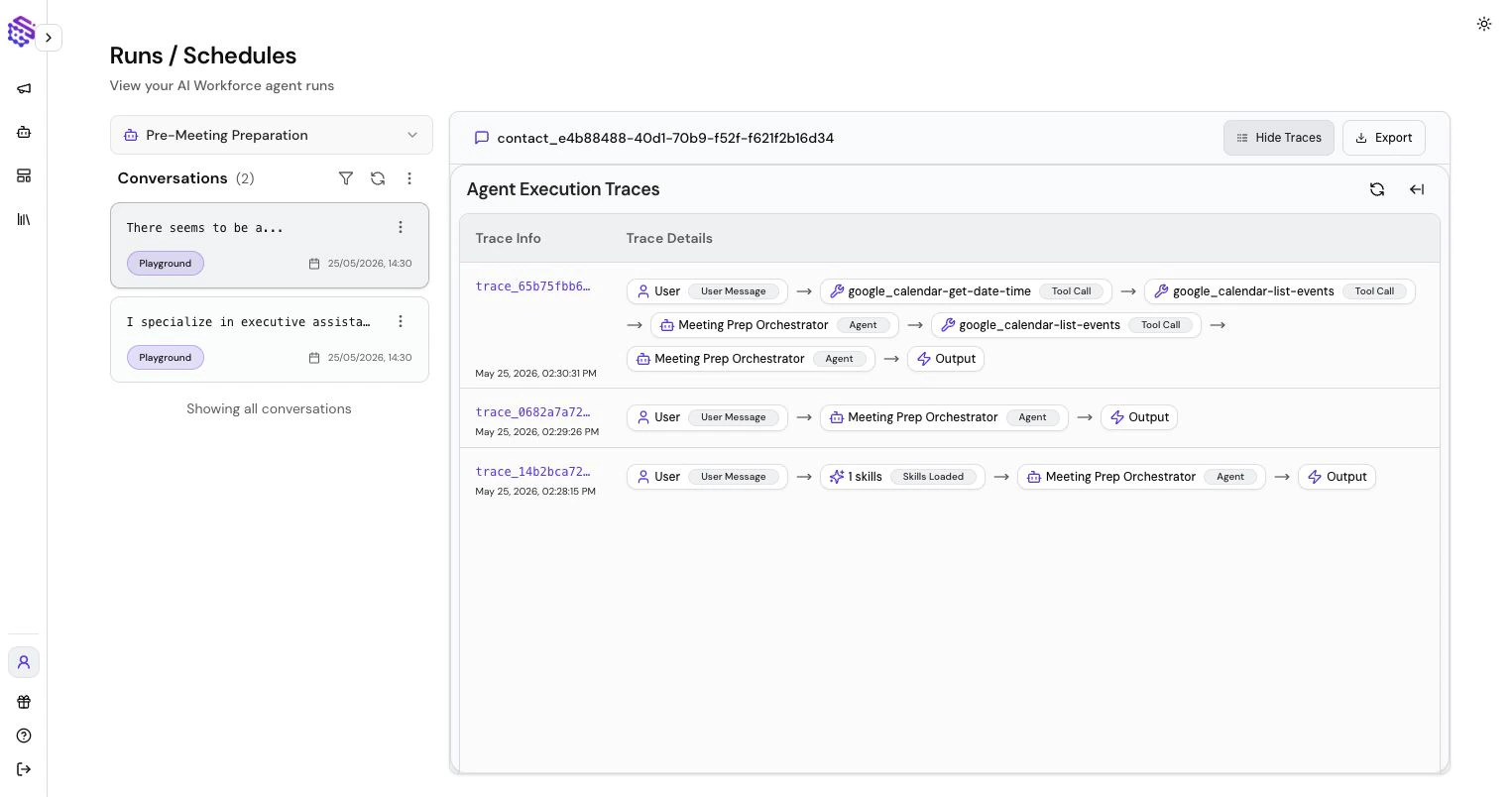
Traces can show:
* Which agent handled the message
* Sub-agent calls
* Tool calls and tool results
* Errors or failed calls
* Latency and duration
* Credit usage
* Structured data
* Generated artifacts or file-related events
## What Traces Show
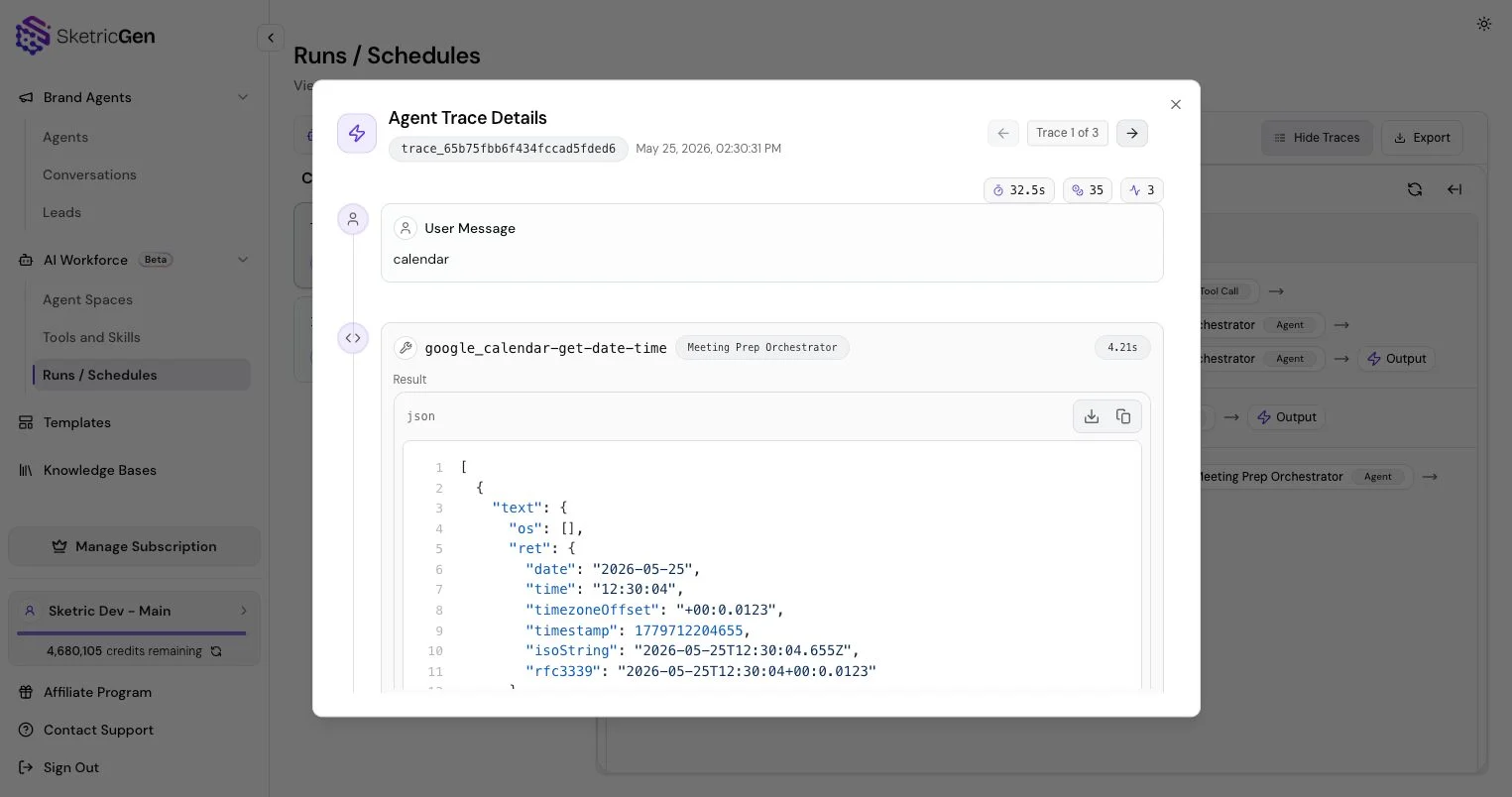
Traces can show:
* Which agent handled the message
* Sub-agent calls
* Tool calls and tool results
* Errors or failed calls
* Latency and duration
* Credit usage
* Structured data
* Generated artifacts or file-related events
 ## Brand Agent Review
For Brand Agents, use traces and conversations to understand why the agent answered a visitor a certain way, whether the Knowledge Base was enough, and whether lead capture or navigation tools fired correctly.
## AI Workforce Review
For AI Workforce, use traces alongside run files and artifacts. Longer runs may involve planning, multiple tool calls, generated files, connector actions, marketplace skills, and scheduled automation.
## Optimization Loop
Use this loop:
1. Run a realistic test.
2. Open the trace.
3. Identify unclear instructions, slow tools, missing knowledge, or bad routing.
4. Update instructions, tools, Knowledge Bases, or model selection.
5. Re-run the same test.
Small changes usually beat large rewrites.
For related setup, see [AI Workforce Tools, Connectors, and Skills](/user-guides/tools), [Runs, Schedules, Files, and Artifacts](/ai-workforce/runs-files-artifacts), and [Orchestration and Structured Data](/user-guides/orchestration-and-handoffs).
## Brand Agent Review
For Brand Agents, use traces and conversations to understand why the agent answered a visitor a certain way, whether the Knowledge Base was enough, and whether lead capture or navigation tools fired correctly.
## AI Workforce Review
For AI Workforce, use traces alongside run files and artifacts. Longer runs may involve planning, multiple tool calls, generated files, connector actions, marketplace skills, and scheduled automation.
## Optimization Loop
Use this loop:
1. Run a realistic test.
2. Open the trace.
3. Identify unclear instructions, slow tools, missing knowledge, or bad routing.
4. Update instructions, tools, Knowledge Bases, or model selection.
5. Re-run the same test.
Small changes usually beat large rewrites.
For related setup, see [AI Workforce Tools, Connectors, and Skills](/user-guides/tools), [Runs, Schedules, Files, and Artifacts](/ai-workforce/runs-files-artifacts), and [Orchestration and Structured Data](/user-guides/orchestration-and-handoffs).