> ## Documentation Index
> Fetch the complete documentation index at: https://docs.sketricgen.ai/llms.txt
> Use this file to discover all available pages before exploring further.
# Create a Brand Agent
> Create an AI chatbot for your website with SketricGen Brand Agents: start from a URL, review Brand DNA, add knowledge, connect tools, and publish.
The Brand Agent wizard helps you create a customer-facing agent from your website or from manual setup. It is the no-code path for turning your site into a branded website chatbot with knowledge, lead capture, and safe customer-facing tools.
## Start From URL or Manual Setup
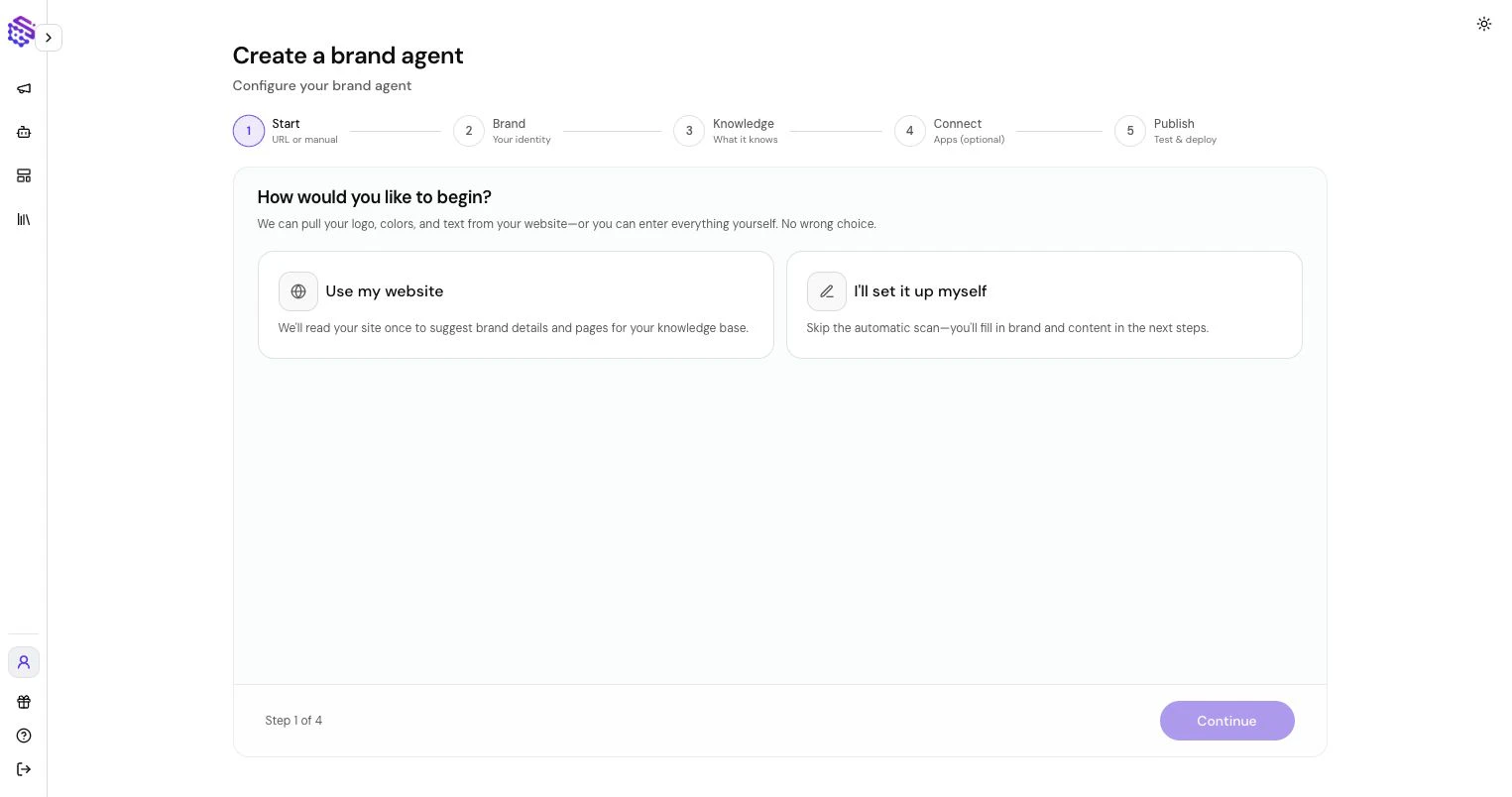 Choose one of two creation modes:
* **Website URL:** Paste your website URL. SketricGen crawls the site, extracts content, and prepares Brand DNA and Knowledge Base sources.
* **Manual setup:** Enter brand details yourself and add knowledge sources manually.
Use URL setup when your website already explains your product, pricing, FAQs, policies, or services. Use manual setup when the agent should be based on internal material or a new product that is not fully documented online.
## Review Brand DNA
Choose one of two creation modes:
* **Website URL:** Paste your website URL. SketricGen crawls the site, extracts content, and prepares Brand DNA and Knowledge Base sources.
* **Manual setup:** Enter brand details yourself and add knowledge sources manually.
Use URL setup when your website already explains your product, pricing, FAQs, policies, or services. Use manual setup when the agent should be based on internal material or a new product that is not fully documented online.
## Review Brand DNA
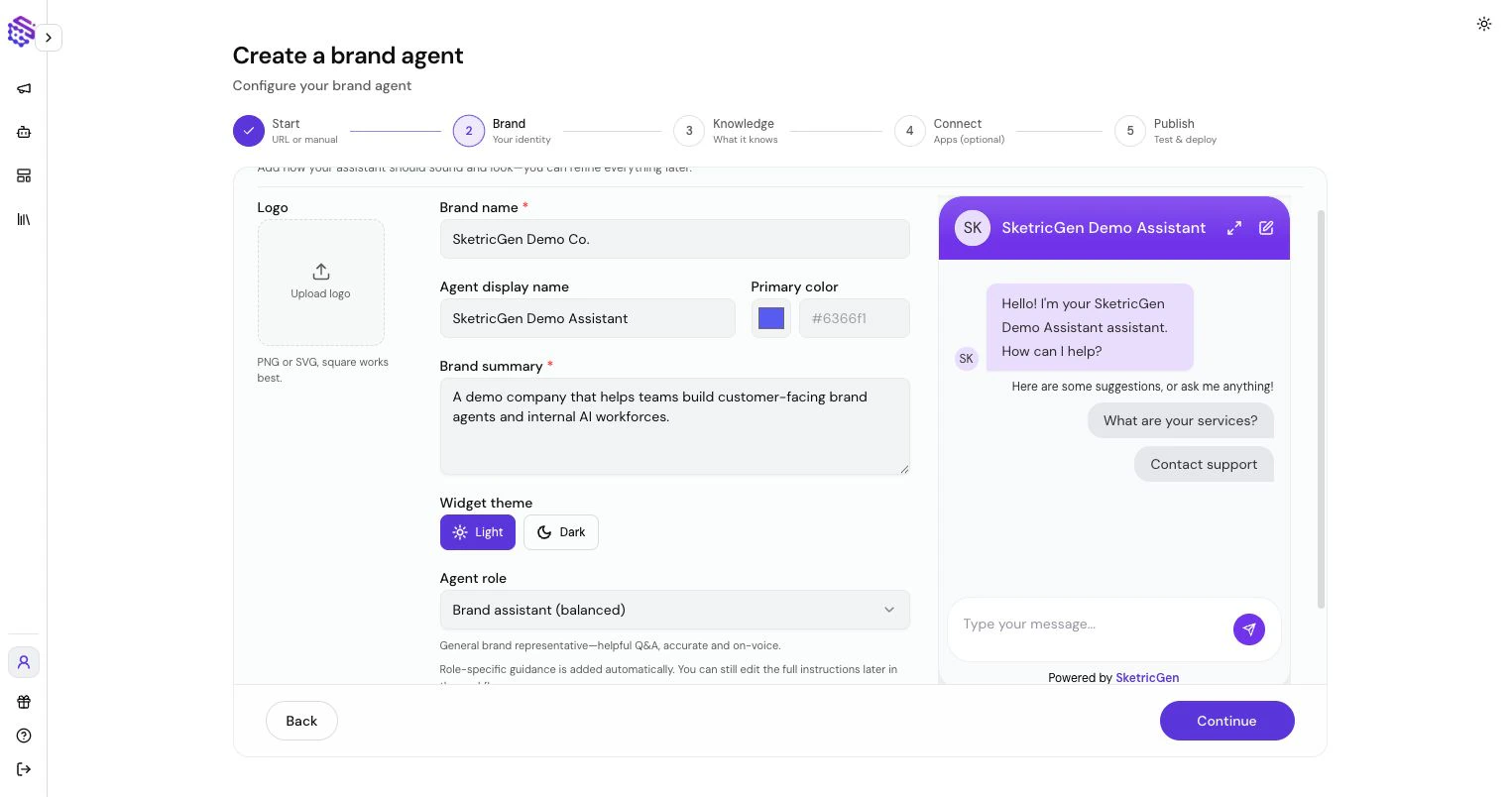 Brand DNA is the agent's brand context. SketricGen can extract it from your website or let you define it manually. It can include:
* Brand name
* Agent name
* Brand summary
* Tone and style
* Logo and color
* Agent role
* Instruction notes
Review this carefully. It shapes how the Brand Agent introduces itself, answers questions, and stays aligned with your brand.
## Add Knowledge
Brand DNA is the agent's brand context. SketricGen can extract it from your website or let you define it manually. It can include:
* Brand name
* Agent name
* Brand summary
* Tone and style
* Logo and color
* Agent role
* Instruction notes
Review this carefully. It shapes how the Brand Agent introduces itself, answers questions, and stays aligned with your brand.
## Add Knowledge
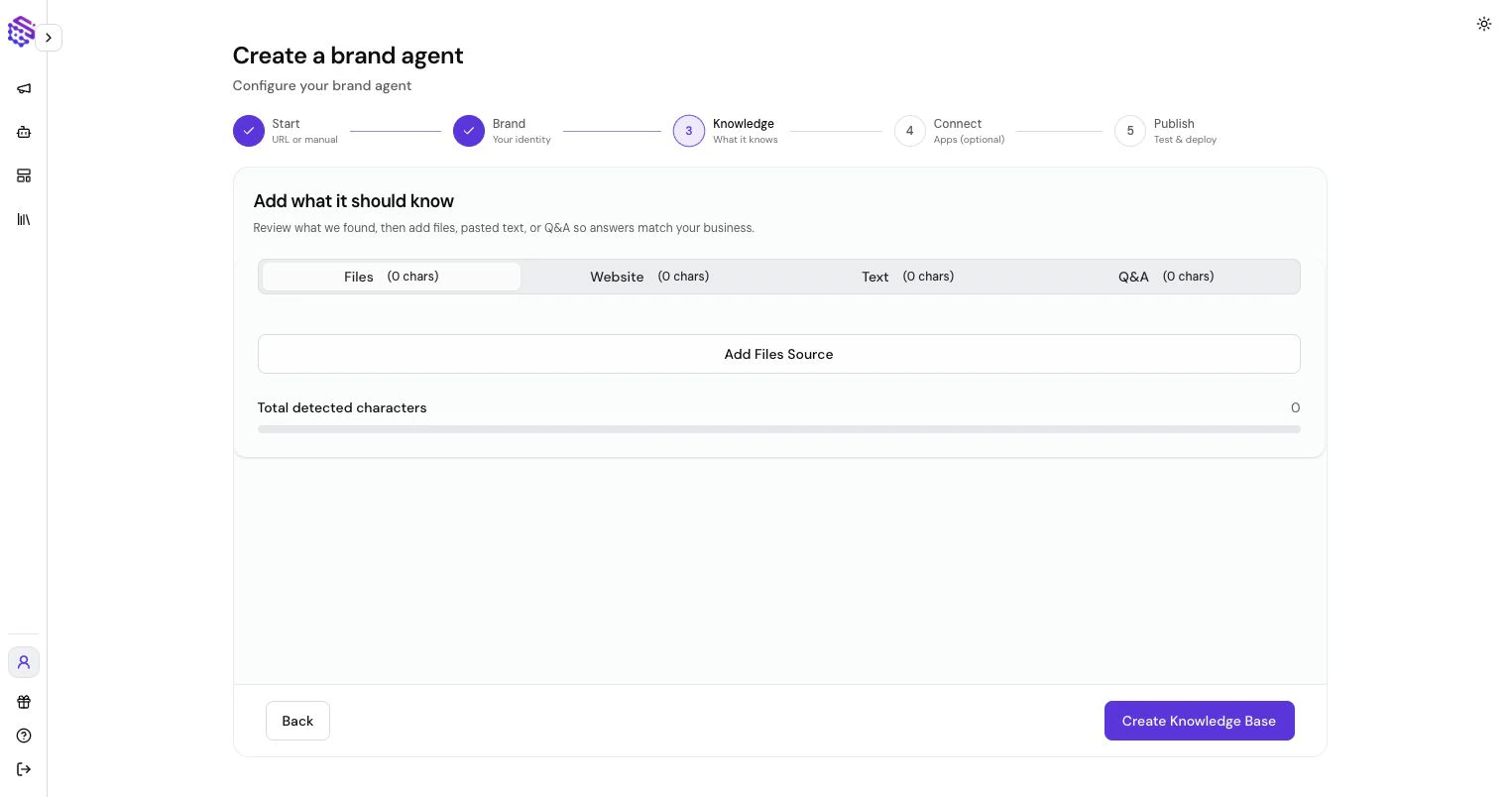 Brand Agents need reliable information. SketricGen structures website content and other sources into an [AI Knowledge Base](/shared-platform/knowledge-bases) the agent can use during conversations.
Add knowledge through:
* Crawled website pages
* Uploaded files
* Pasted text
* Q\&A pairs
The Knowledge Base is what the agent uses to answer product, support, pricing, onboarding, and policy questions. If it is incomplete, the agent may need to ask clarifying questions or say that information is not available.
## Connect Optional Tools
Brand Agents need reliable information. SketricGen structures website content and other sources into an [AI Knowledge Base](/shared-platform/knowledge-bases) the agent can use during conversations.
Add knowledge through:
* Crawled website pages
* Uploaded files
* Pasted text
* Q\&A pairs
The Knowledge Base is what the agent uses to answer product, support, pricing, onboarding, and policy questions. If it is incomplete, the agent may need to ask clarifying questions or say that information is not available.
## Connect Optional Tools
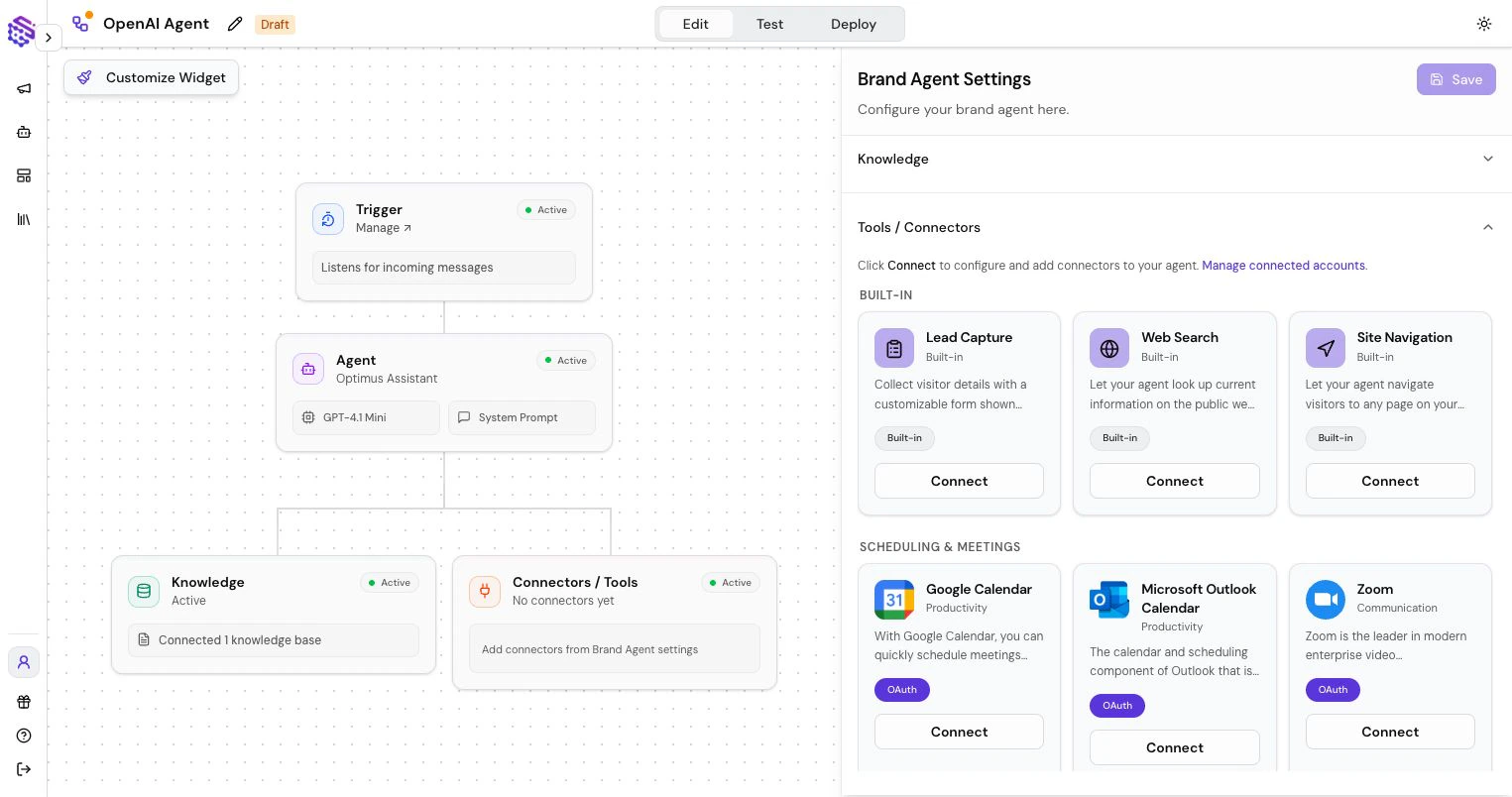 Add only the tools the public agent needs:
* **Lead Capture:** collect visitor details inside chat.
* **Page Navigation:** send visitors to relevant pages.
* **Web Search:** look up current public information.
* **Selected app connectors:** connect approved customer-facing actions.
Avoid giving customer-facing agents broad internal tool access unless the use case clearly requires it.
## Test and Publish
Before publishing:
1. Ask realistic customer questions.
2. Test lead capture if enabled.
3. Check whether the agent answers from the right knowledge.
4. Confirm it refuses or redirects questions outside its scope.
5. Publish and copy the widget or fullscreen link.
After publishing, use Conversations and Leads to review what visitors asked and where the agent needs improvement. For deployment, see [Deploy a Brand Agent to a Custom Website](/deploy/custom-website) or the platform-specific guides for [WordPress](/deploy/wordpress) and [Shopify](/deploy/shopify).
Add only the tools the public agent needs:
* **Lead Capture:** collect visitor details inside chat.
* **Page Navigation:** send visitors to relevant pages.
* **Web Search:** look up current public information.
* **Selected app connectors:** connect approved customer-facing actions.
Avoid giving customer-facing agents broad internal tool access unless the use case clearly requires it.
## Test and Publish
Before publishing:
1. Ask realistic customer questions.
2. Test lead capture if enabled.
3. Check whether the agent answers from the right knowledge.
4. Confirm it refuses or redirects questions outside its scope.
5. Publish and copy the widget or fullscreen link.
After publishing, use Conversations and Leads to review what visitors asked and where the agent needs improvement. For deployment, see [Deploy a Brand Agent to a Custom Website](/deploy/custom-website) or the platform-specific guides for [WordPress](/deploy/wordpress) and [Shopify](/deploy/shopify).