> ## Documentation Index
> Fetch the complete documentation index at: https://docs.sketricgen.ai/llms.txt
> Use this file to discover all available pages before exploring further.
# Brand Agent Connectors and Lead Capture
> Add safe customer-facing tools to a Brand Agent website chatbot, including lead capture, page navigation, web search, and selected app connector actions.
Brand Agent connectors should be intentionally limited. Public agents should only receive tools that are safe for visitors and useful for the customer experience.
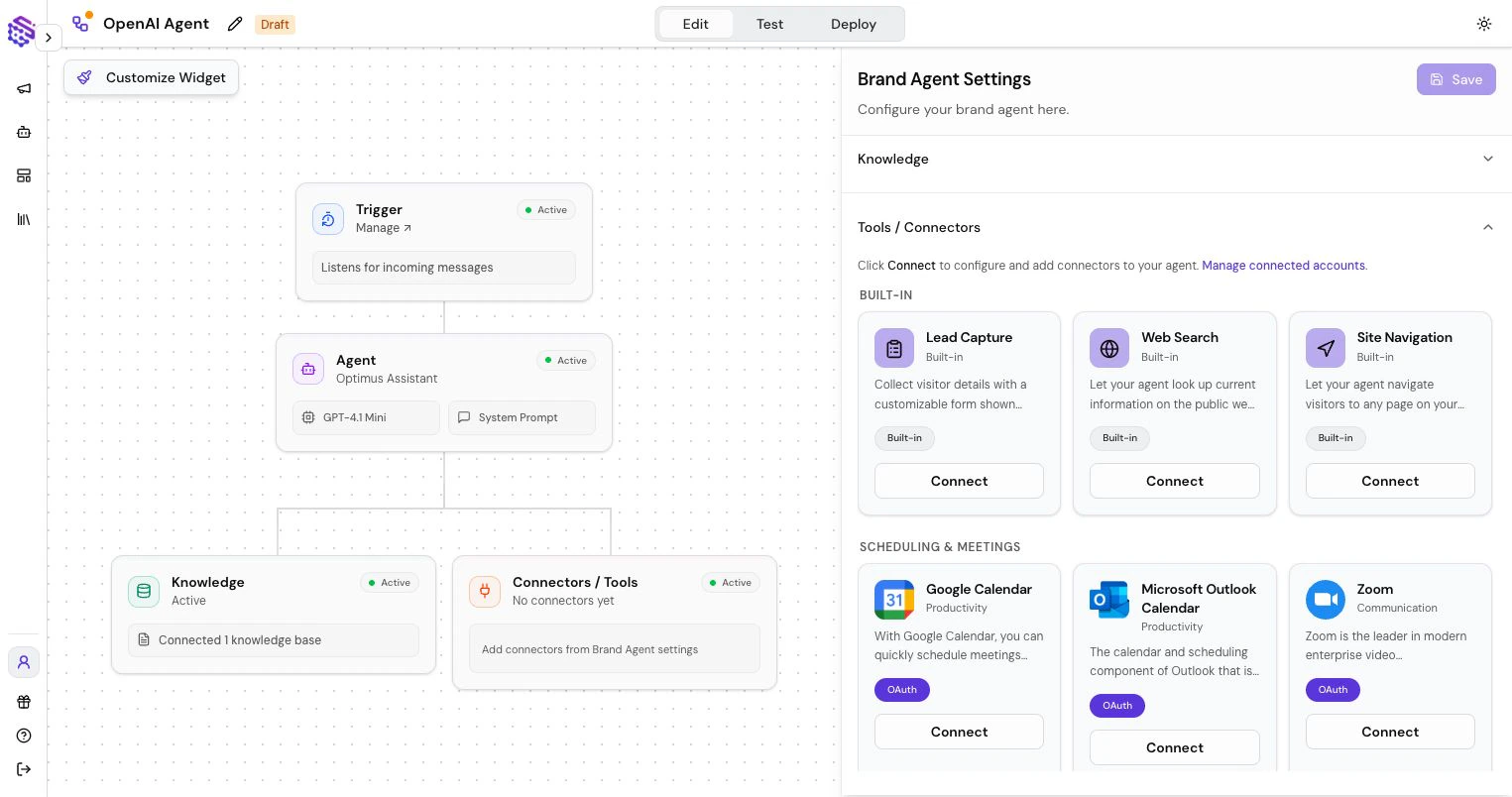
For most Brand Agents, the important tools are lead collection, page navigation, web search, and a small set of approved business actions. This is what makes Brand Agents useful as website chatbots for sales, support intake, demo routing, and customer-facing guidance.
 ## Built-In Brand Agent Tools
### Lead Capture
Lead Capture displays a form inside the chat when the agent needs visitor details. Use it for demo requests, sales qualification, contact collection, support intake, or any lead generation chatbot flow where your team needs clean follow-up data.
Keep forms short. Ask for the information your team will actually use.
## Built-In Brand Agent Tools
### Lead Capture
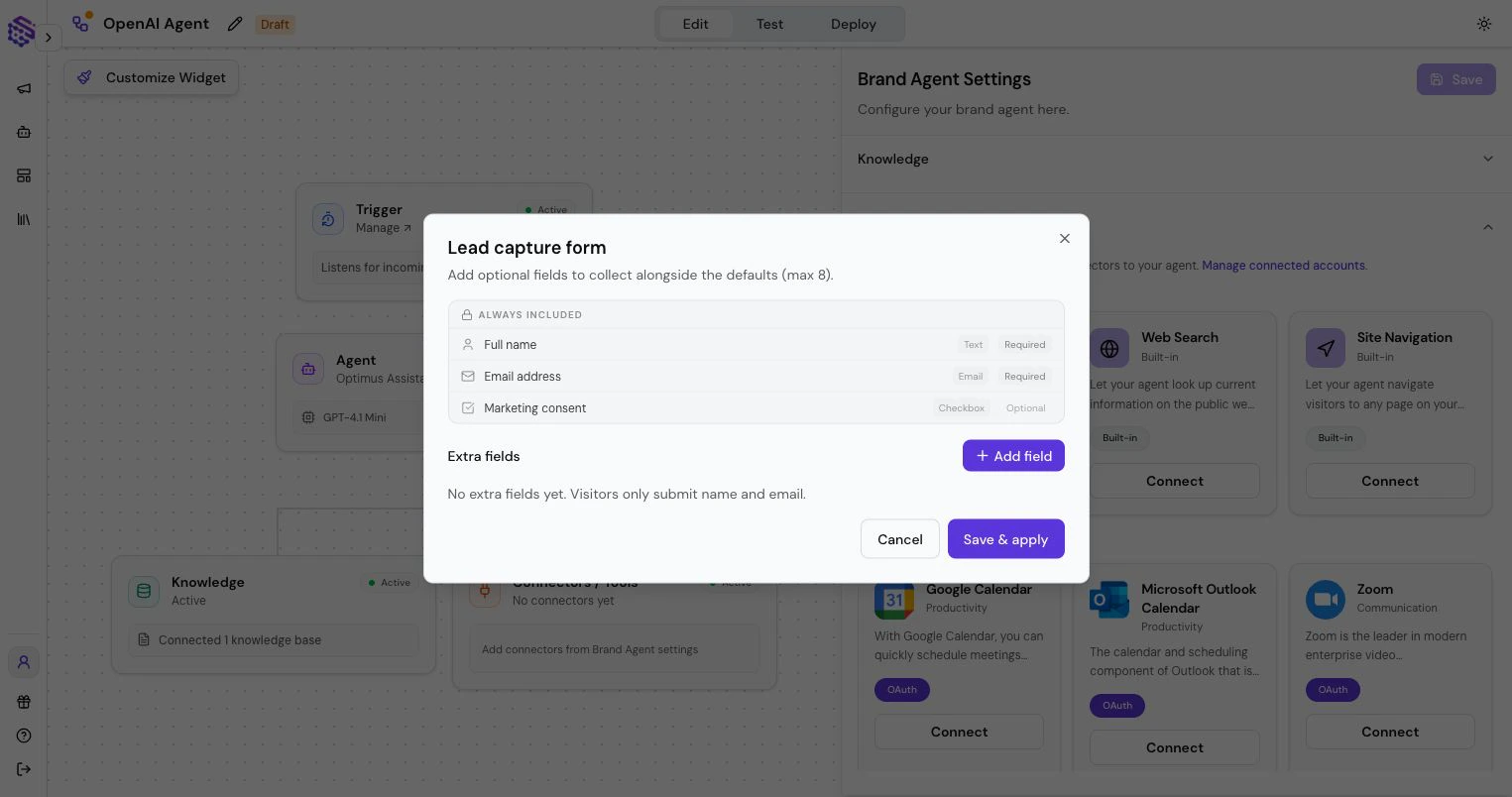
Lead Capture displays a form inside the chat when the agent needs visitor details. Use it for demo requests, sales qualification, contact collection, support intake, or any lead generation chatbot flow where your team needs clean follow-up data.
Keep forms short. Ask for the information your team will actually use.
 ### Page Navigation
Page Navigation lets the agent guide visitors to relevant website pages, such as pricing, docs, booking, product details, or onboarding.
Use this when the agent should help visitors move through your site instead of only answering in chat.
### Web Search
Web Search lets the agent look up current public information when your Knowledge Base is not enough.
Use it carefully for customer-facing agents. For brand-critical answers, prefer your own Knowledge Base.
## App Connectors
Brand Agents can use selected SketricGen connectors when the use case needs an external action. SketricGen supports 2,000+ connectors, but customer-facing agents should only receive the exact actions that are safe for public use.
Typical customer-facing examples include:
* Booking and calendar actions
* CRM lead creation or updates
* Support-ticket intake
* Email or notification handoff
* Form and spreadsheet submission
* Approved ecommerce or order-status lookups
Only select the exact actions the agent should use. A naming mismatch or overly broad permission can give an agent more capability than intended, so review tool access before publishing.
## Lead Review
Captured leads appear in the SketricGen app. Review them alongside conversations so you can see:
* What the visitor asked
* Which agent response led to the lead
* What details were collected
* Whether the agent should ask better qualification questions
Use these insights to improve the agent's instructions and Knowledge Base.
For the full setup path, see [Create a Brand Agent](/brand-agents/create-brand-agent). For broader internal tools and skills, use [AI Workforce Tools, Connectors, and Skills](/user-guides/tools).
### Page Navigation
Page Navigation lets the agent guide visitors to relevant website pages, such as pricing, docs, booking, product details, or onboarding.
Use this when the agent should help visitors move through your site instead of only answering in chat.
### Web Search
Web Search lets the agent look up current public information when your Knowledge Base is not enough.
Use it carefully for customer-facing agents. For brand-critical answers, prefer your own Knowledge Base.
## App Connectors
Brand Agents can use selected SketricGen connectors when the use case needs an external action. SketricGen supports 2,000+ connectors, but customer-facing agents should only receive the exact actions that are safe for public use.
Typical customer-facing examples include:
* Booking and calendar actions
* CRM lead creation or updates
* Support-ticket intake
* Email or notification handoff
* Form and spreadsheet submission
* Approved ecommerce or order-status lookups
Only select the exact actions the agent should use. A naming mismatch or overly broad permission can give an agent more capability than intended, so review tool access before publishing.
## Lead Review
Captured leads appear in the SketricGen app. Review them alongside conversations so you can see:
* What the visitor asked
* Which agent response led to the lead
* What details were collected
* Whether the agent should ask better qualification questions
Use these insights to improve the agent's instructions and Knowledge Base.
For the full setup path, see [Create a Brand Agent](/brand-agents/create-brand-agent). For broader internal tools and skills, use [AI Workforce Tools, Connectors, and Skills](/user-guides/tools).