> ## Documentation Index
> Fetch the complete documentation index at: https://docs.sketricgen.ai/llms.txt
> Use this file to discover all available pages before exploring further.
# Scheduled Runs, Files, and Artifacts
> Use AI Workforce for scheduled automation, report automation, longer runs, planning, workspace files, generated artifacts, traces, and recurring internal work.
AI Workforce runs can do more than return a single chat response. They can plan work, use tools, create files, produce artifacts you can inspect, and run recurring tasks on a schedule. Use scheduled runs for report automation, recurring research, operations checks, and other repeatable team workflows.
 ## Longer Runs
Some tasks finish in seconds. More complex AI Workforce tasks may take 10-30 minutes depending on:
* The selected model
* Number of agents involved
* Tool and connector latency
* File size and count
* Whether the agent creates or edits artifacts
Longer runs are useful for research, content, analysis, internal operations, and multi-step work.
## Scheduled Runs
Schedules let AI Workforce agents automate recurring work by triggering a run at a configured time. Instead of asking the agent manually each time, you can turn repeatable internal work into a scheduled run.
Scheduled runs work well for:
* Daily research or news briefs.
* Weekly sales, support, or operations reports.
* Automated report generation and recurring executive summaries.
* Recurring content drafts.
* Pipeline, CRM, or project-management checks.
* Knowledge Base or document review tasks.
* Any internal workflow where the agent should run the same instruction on a regular cadence.
Treat a schedule like an automation contract. Give the agent a clear recurring instruction, connect the tools it needs, define the expected output, and review the first few runs in **Runs / Schedules** and traces before relying on it.
## Planning and Todos
AI Workforce runs can maintain a todo/planning state during a run. This helps the agent break down a larger task and track progress.
The plan is a working aid, not a guarantee. Always review the final output, generated files, and [traces](/user-guides/traces-and-optimizations) when accuracy matters.
## Workspace Files
AI Workforce uses two workspace concepts:
* **Run workspace:** temporary or conversation-specific files created during a run.
* **Agent workspace:** reusable files that can be made available to future runs for the same agent.
Generated artifacts can include drafts, reports, summaries, transformed data, or other files created by tools and agents.
## Inspecting Artifacts
When a run creates files, inspect them in the product before using them downstream. For important workflows, verify:
* The file exists and opens.
* The content matches the request.
* The format is usable by the target system.
* Any connector upload or sub-agent step used the intended file.
## Traces
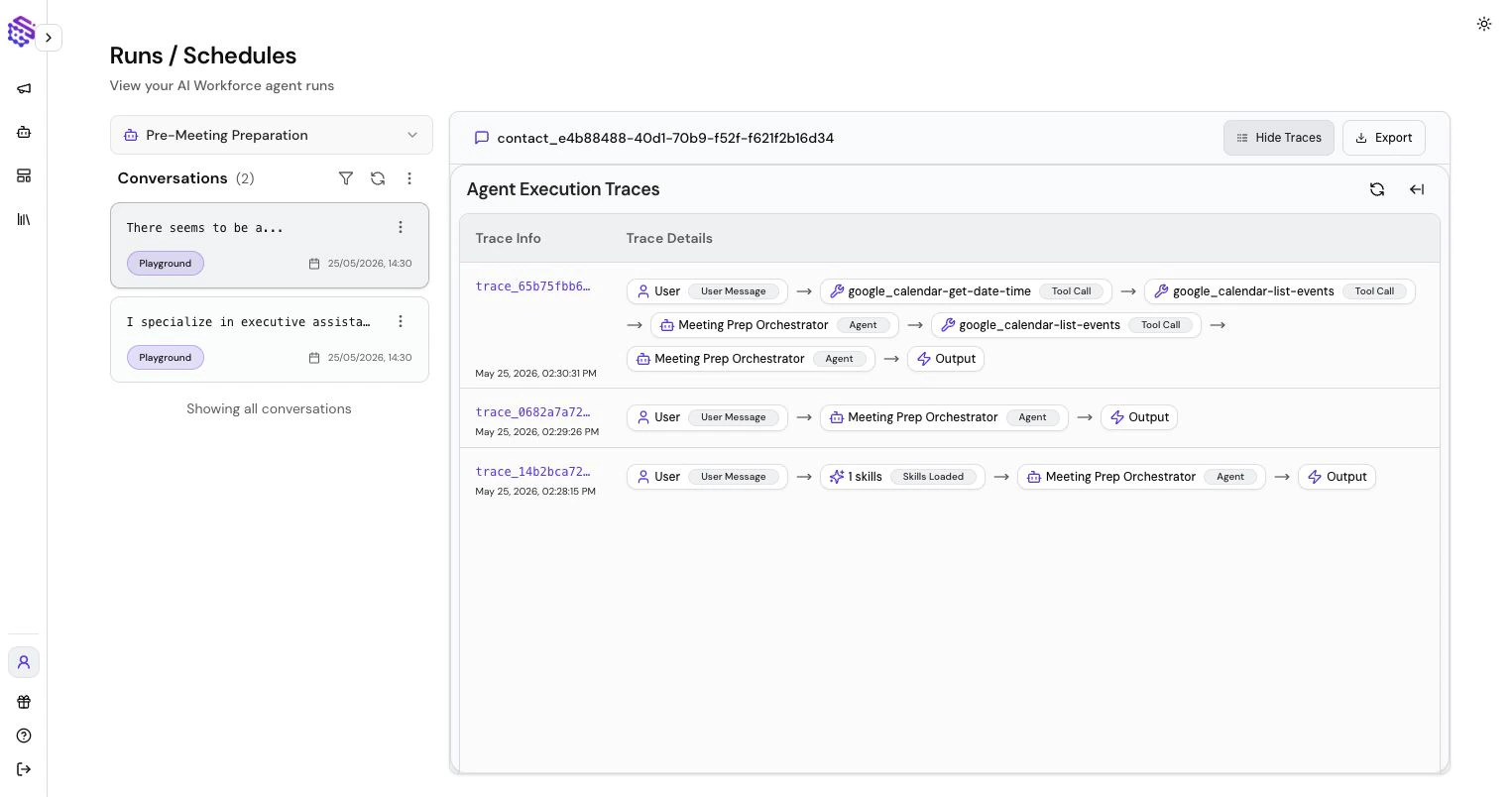
Traces show the run timeline: agent steps, sub-agent calls, tool calls, errors, latency, and credit usage. Use traces to understand why a run succeeded, failed, or took longer than expected. For tool configuration, see [AI Workforce Tools, Connectors, and Skills](/user-guides/tools).
## Longer Runs
Some tasks finish in seconds. More complex AI Workforce tasks may take 10-30 minutes depending on:
* The selected model
* Number of agents involved
* Tool and connector latency
* File size and count
* Whether the agent creates or edits artifacts
Longer runs are useful for research, content, analysis, internal operations, and multi-step work.
## Scheduled Runs
Schedules let AI Workforce agents automate recurring work by triggering a run at a configured time. Instead of asking the agent manually each time, you can turn repeatable internal work into a scheduled run.
Scheduled runs work well for:
* Daily research or news briefs.
* Weekly sales, support, or operations reports.
* Automated report generation and recurring executive summaries.
* Recurring content drafts.
* Pipeline, CRM, or project-management checks.
* Knowledge Base or document review tasks.
* Any internal workflow where the agent should run the same instruction on a regular cadence.
Treat a schedule like an automation contract. Give the agent a clear recurring instruction, connect the tools it needs, define the expected output, and review the first few runs in **Runs / Schedules** and traces before relying on it.
## Planning and Todos
AI Workforce runs can maintain a todo/planning state during a run. This helps the agent break down a larger task and track progress.
The plan is a working aid, not a guarantee. Always review the final output, generated files, and [traces](/user-guides/traces-and-optimizations) when accuracy matters.
## Workspace Files
AI Workforce uses two workspace concepts:
* **Run workspace:** temporary or conversation-specific files created during a run.
* **Agent workspace:** reusable files that can be made available to future runs for the same agent.
Generated artifacts can include drafts, reports, summaries, transformed data, or other files created by tools and agents.
## Inspecting Artifacts
When a run creates files, inspect them in the product before using them downstream. For important workflows, verify:
* The file exists and opens.
* The content matches the request.
* The format is usable by the target system.
* Any connector upload or sub-agent step used the intended file.
## Traces
Traces show the run timeline: agent steps, sub-agent calls, tool calls, errors, latency, and credit usage. Use traces to understand why a run succeeded, failed, or took longer than expected. For tool configuration, see [AI Workforce Tools, Connectors, and Skills](/user-guides/tools).